1-Visitor
March 3, 2021
Solved

The reflect of my drawing are wrong

  • March 3, 2021
  • 2 replies
  • 2554 views

Hello everybody,

When I reflect my drawings to another side it is not correct.
it reflects always to the wrong side. How can I choose the side I want to reflect it to?
Please help me. Thank you.


You can see on my attached file what I mean. 

Regards,

Patrick

 

Best answer by Chris3

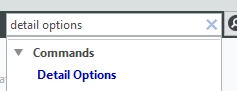
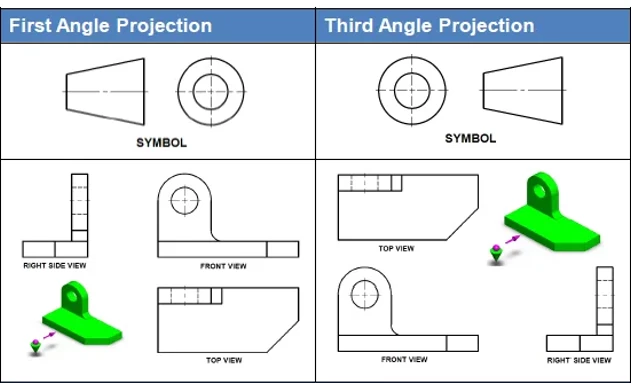
I think you are asking about first angle projection. Open the drawing detail options by typing "detail options" into the search (its not in the default ribbon):

Capture.PNG


Search for projection_type and change the value from the default of THIRD_ANGLE to FIRST_ANGLE


Capture.PNG

2 replies

23-Emerald III
March 4, 2021

I don't understand your use of the term "reflection". Are you trying to mirror your part to make a right-hand/left-hand part?

Or are you referring to creating views that are projecting incorrectly?

Maybe you are wanting first angle projection and the software is defaulting to third angle projection?

I see your PDF, but don't understand the question.

Chris3
Chris321-Topaz IAnswer
21-Topaz I
March 5, 2021

I think you are asking about first angle projection. Open the drawing detail options by typing "detail options" into the search (its not in the default ribbon):

Capture.PNG


Search for projection_type and change the value from the default of THIRD_ANGLE to FIRST_ANGLE


Capture.PNG

1-Visitor
March 11, 2021

Thank you. I was looking for this. Sorry for explaining my issue so bad