3-Newcomer
August 1, 2025
Solved

Thread visable after extrude in drawing creo 10
  • August 1, 2025
  • 1 reply
  • 640 views

JM_8672405_1-1754025051580.png

Hi everybody.


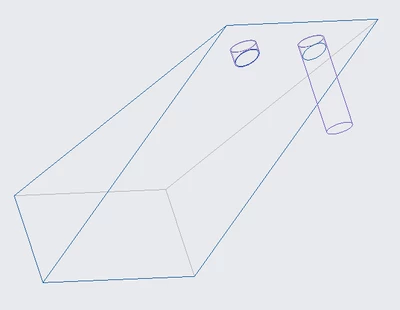
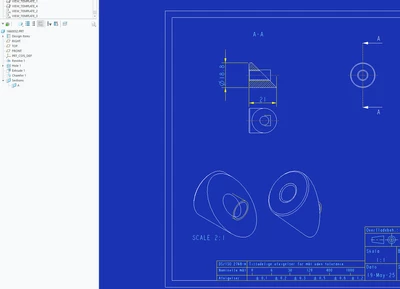
I cannot remove the thread lines where you can see the part have an extrude. The lines from the hole are gone if i remove the thread, but the lines from the thread appear again when turned on. 


Hope someone can help
Best answer by MartinHanak

Hi,

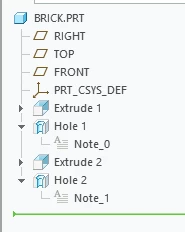
if you change feature order then you will get what you need.

MartinHanak_1-1754043724097.png

Hole 1 ... created before Extrude 2 ... displayed right

Hole 2 ... created after Extrude 2 ... displayed left

MartinHanak_0-1754043704477.png


1 reply

24-Ruby III
August 1, 2025

Hi,

you can put the thread/hole into a layer and hide this layer in specific drawing view.

3-Newcomer
August 1, 2025

Is it possible to keep the thread lines on the item, and only delete the lines outside the item, using layers?

24-Ruby III
August 1, 2025

@JM_8672405 wrote:

Is it possible to keep the thread lines on the item, and only delete the lines outside the item, using layers?


Hi,

NO, it is not possible. I guess that you can "solve" your problem by creation of specific surface, only.