12-Amethyst
November 22, 2024
Solved

Unbend curved rectangular strip

  • November 22, 2024
  • 2 replies
  • 891 views

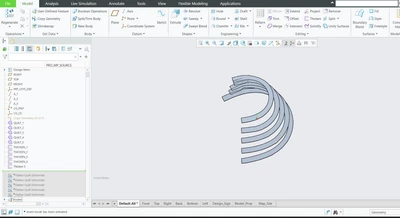
how to unbend the curved rectangular strip

I tried with flattened quilt 

results are as follows
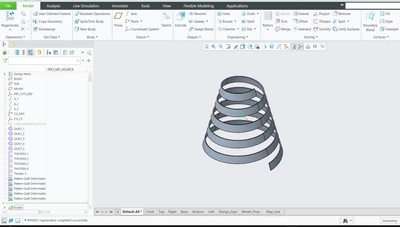
RushikeshJ_0-1732269198378.pngRushikeshJ_1-1732269235122.png


but we want continuous flatten curve strip

attached refence model to Flatten creo 10.0.5.0

Best answer by kdirth

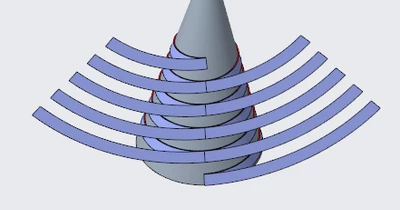
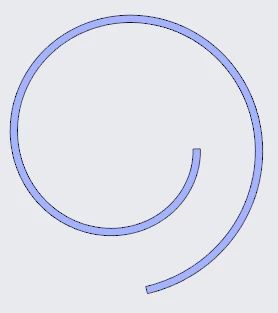
Creo is not able to unwind and flatten the shape you have.


You could flatten sections of it.

kdirth_0-1732284117782.png

These can then be copied into parts, then assembled, and those copied into a part and merged.

kdirth_1-1732284284050.png

Not sure how accurate the results will be from flatten quilt since I have not used it very much.

I did this in Creo+ (Creo 12.1)


2 replies

kdirth
21-Topaz I
kdirth21-Topaz IAnswer
21-Topaz I
November 22, 2024

Creo is not able to unwind and flatten the shape you have.


You could flatten sections of it.

kdirth_0-1732284117782.png

These can then be copied into parts, then assembled, and those copied into a part and merged.

kdirth_1-1732284284050.png

Not sure how accurate the results will be from flatten quilt since I have not used it very much.

I did this in Creo+ (Creo 12.1)


There is always more to learn.
12-Amethyst
November 26, 2024

Thank you Kdirth. this will solve my problem

tbraxton
22-Sapphire II
22-Sapphire II
November 22, 2024

It is possible to flatten a cylinder with the flatten quilt function and it appears that your model is a cone so I think you can use the same method. Refer to this thread to see an example of how to do it with a cylinder. I posted a sample model in this thread.


Total Unroll Cross-Section (un-fold along an arc) - PTC Community