15-Moonstone
April 25, 2017
Question

Using pattern quantity &p0 in annotation and decimal places

  • April 25, 2017
  • 5 replies
  • 4315 views

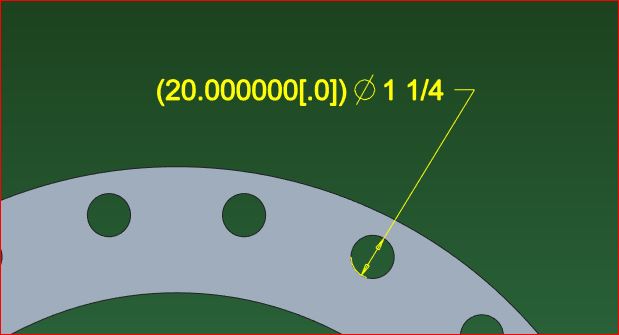
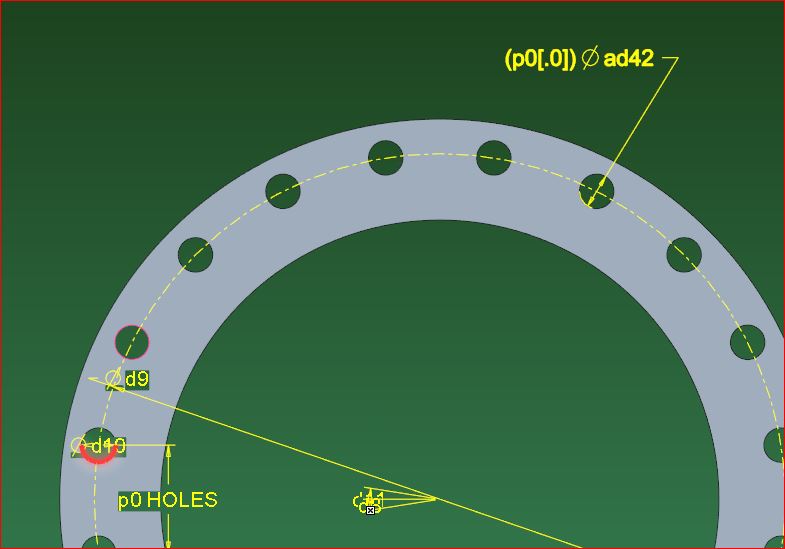
Is it possible to get the pattern quantity to not show any trailing zeros in an annotation without creating a 'work around' relation?


pattern qty1.jpg


pattern qty2.jpg

5 replies

12-Amethyst
April 25, 2017

Er... not that I'm an expert in patterns, but how did you make a pattern where the count had decimal places at all?  I would appreciate seeing an SPR on this (showing the creation of the pattern in question).  Intuitively, I would expect a pattern count to be an integer (0 dec places).

SYNDAKIT15-MoonstoneAuthor
15-Moonstone
April 25, 2017

Yeah that's exactly what I thought, but it has been like this for years now. Our work around is this:

flange_holes=p0

then add &flange_holes to whatever note, but this is super annoying to do every time for every pattern.

12-Amethyst
April 25, 2017

I agree this sounds strange.  If you would be so kind as to file an SPR showing the workflow that leads to this pattern-count-with-dec-places, I'll be happy to figure out why it is happening and whether it is justified or a bug to be fixed.

10-Marble
April 25, 2017

It's the parameter "flange_holes" that is reporting and displaying the decimal places.

Try adding this...

{0:&P0}X @D (Plus whatever additional annotation text you need)...

Add this directly into the Dim.  properties instead displaying the parameter valve.

You have to edit the Dim properties either way but this text eliminates the need to create the relation. 

Hope this helps - & STUFF

Tw

SYNDAKIT15-MoonstoneAuthor
15-Moonstone
April 25, 2017

The relation FLANGE_HOLES is created as a work around because the &P0 value shows trailing zeros.

Using FLANGE_HOLES like this, "&FLANGE_HOLES[.0] @D,  the annotation displays correctly as "20 1 1/4"

10-Marble
April 25, 2017

Check out lead_trail_zeros  and lead_trail_zeros_scope

You can control Leading / Trailing zero display with these 2 settings.  If none of your other dims. are showing trailing zeros try setting the scope to ALL

These are detailing options that are typically set in the drawing but are also available to be set in the model for the MBD folks.

SYNDAKIT15-MoonstoneAuthor
15-Moonstone
April 25, 2017

No luck with that either.

pattern qty3.jpg

10-Marble
April 25, 2017

Hmmm...  Is your screen shot above displaying the parameter?  or the p dimension?

I think displayed parameters will always show Trailing Zeros..  If you can remove the relation and use {0:&P0}X @D text in the dim properties it should work.

SYNDAKIT15-MoonstoneAuthor
15-Moonstone
April 25, 2017

pattern qty4.JPG

23-Emerald IV
April 25, 2017

Would you be willing to upload the model to this discussion?  If so you can use the advanced editor to attach it (top right corner of the reply window.)

SYNDAKIT15-MoonstoneAuthor
15-Moonstone
April 25, 2017

I would need to check on that.
