10-Marble
August 30, 2024
Solved

Wave design

  • August 30, 2024
  • 3 replies
  • 3021 views

Hi all!


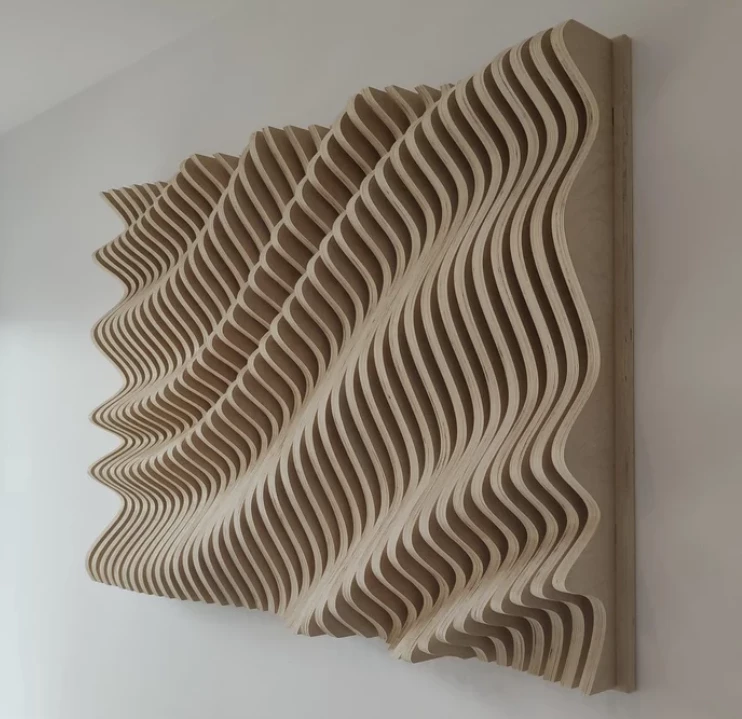
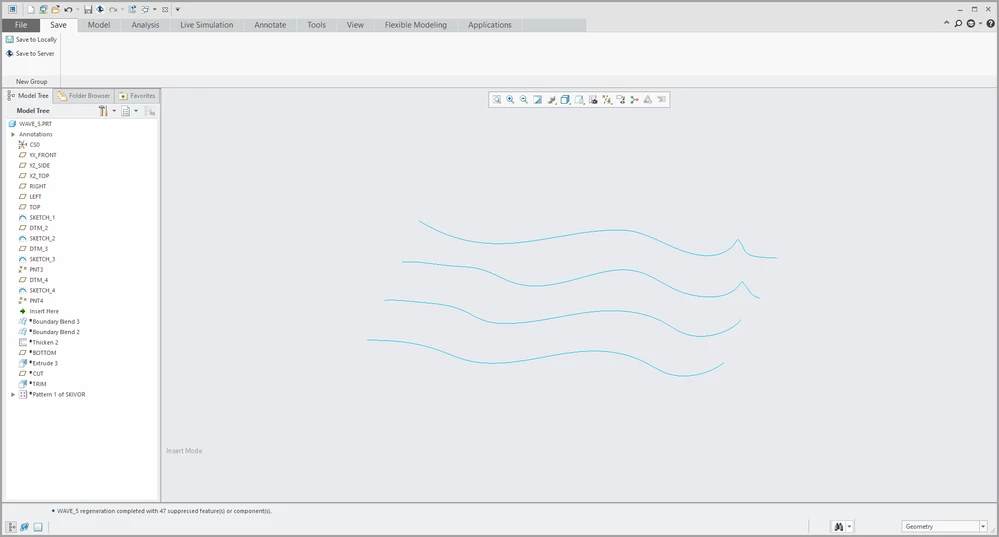
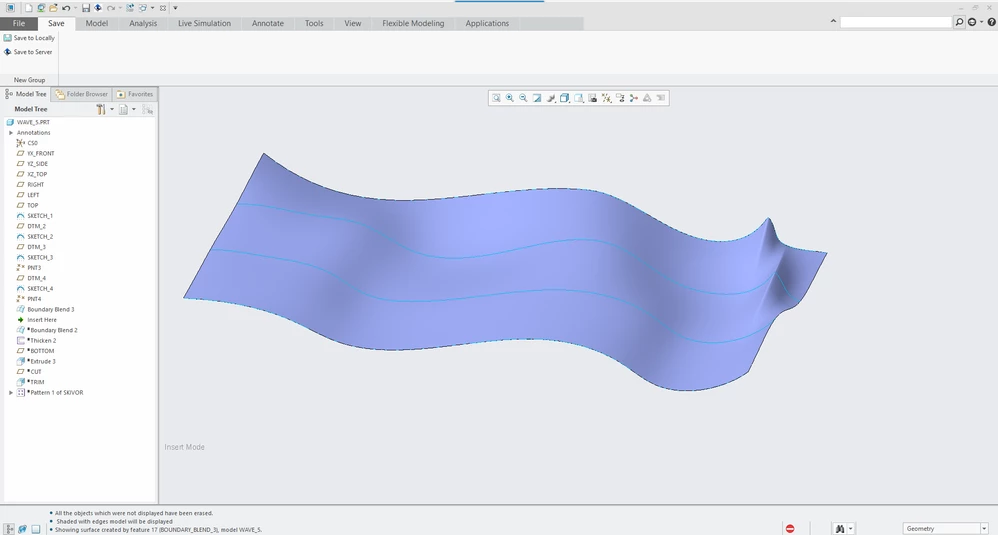
Trying to replicate this wave design in Creo (currently using 4.0) but having some issues... Thought the easiest way would be to divide the wave in 4-5 sections and use boundary blend to merge sketches of the waves profile in the sections. (Then thickening the surface to make it a solid.) But the sharpest top of the waves doesn't behave the way I want. I've tried using the "control points" option in the boundary blend tool to control the shape, but I'm far from happy.


Before going down the rabbit hole of adjusting the control points until I get something remotely resembling the wave, I thought I'd seek out some help from better users than me to see if this is the way to go or not. Or if it's even possible to make such a design in Creo.


TLDR: Trying to replicate this (or similar) wave design. What's the easiest way of doing that?


Cheers!
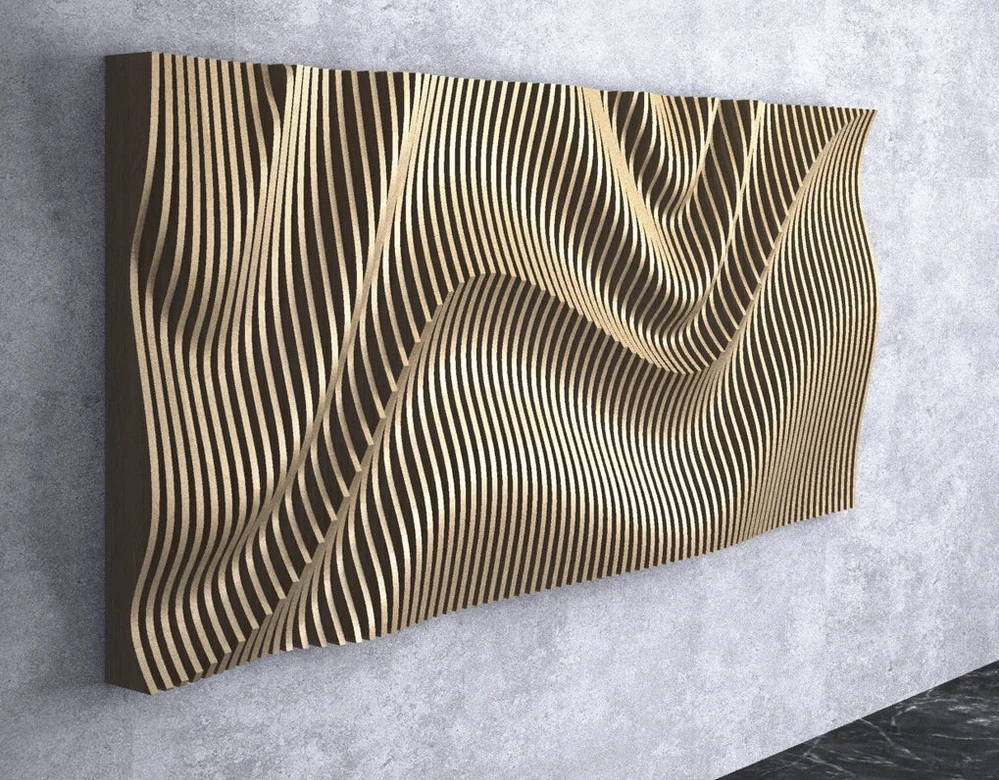
Wave inspiration 1Wave inspiration 1

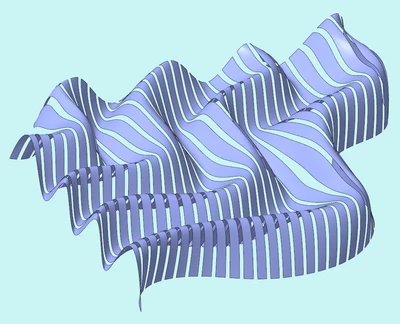
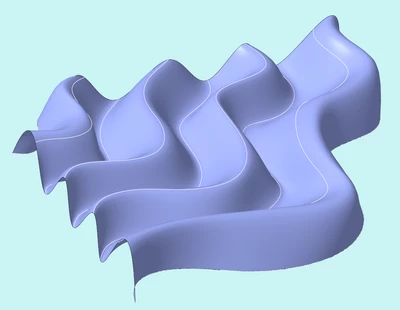
Wave inspiration 2Wave inspiration 2

Wave sectionsWave sections

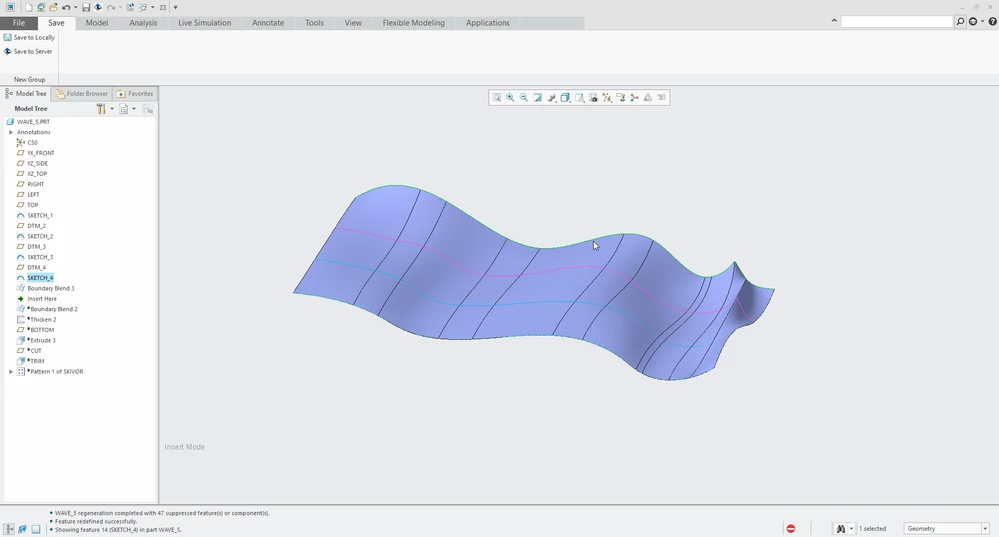
Wave boundary blendWave boundary blend

Wave boundary blend with control pointsWave boundary blend with control points
Best answer by Radovan_DT

I tried it using blend, very simple method as you can see in model, not really sure how CNC guys will like it but thats not my problem 😄 Problem is that the model wont look exactly like picture as it needs additional work to fix the height differences on strips(like 1 hour to plane/sketch through the middle of each strip and project it and extrude it). But for CNC this should be enough.

Radovan_DT_1-1725265455045.png

Radovan_DT_2-1725265561884.png


3 replies

tbraxton
22-Sapphire II
22-Sapphire II
August 30, 2024

The physical examples in your pictures appear to be using a waveform generation algorithm. You can replicate this in Creo using curves from equation and intersecting them in 3D space. You get constructive & destructive interference between the two wave functions that generate some interesting shapes.


 Take a look at this interactive demonstrator to get some insight into the behavior and visualize interference patterns.

3D Waves | Wolfram Demonstrations Project


tbraxton_0-1725062065193.png


Adam1310-MarbleAuthor
10-Marble
August 31, 2024

That looks promising! Although I would need some kind of example equation code to get me started since the math is way above my head. I tried finding some online and found this and this but I can't translate it to something that I can use in Creo unfortunately. Also tried downloading the code for the Wolfram demonstration project but the equations were very complex so don't know where too start really.


If I could get my hands om some starting equations which I can manipulate this might work. Otherwise I fear the formulas involved are a bit too complex. My boundary blend sketches idea is a big no-no, or? I feel I would have more creative freedom and control with that solution...


14-Alexandrite
September 2, 2024

I tried it using blend, very simple method as you can see in model, not really sure how CNC guys will like it but thats not my problem 😄 Problem is that the model wont look exactly like picture as it needs additional work to fix the height differences on strips(like 1 hour to plane/sketch through the middle of each strip and project it and extrude it). But for CNC this should be enough.

Radovan_DT_1-1725265455045.png

Radovan_DT_2-1725265561884.png


Adam1310-MarbleAuthor
10-Marble
September 9, 2024

Thank you! Have been playing around with the technique, and it seems to get somewhat close the pictures I attached. Would like to have some control over the z-axis curvature, so the tops don't looks too uniform. I'll play around some more with blend/boundary blend and see if I can get even better results. Many thanks for your input! This is the best so far:


Best result so farBest result so far

Community Moderator
September 17, 2024

Hi @Adam13,


I wanted to see if you got the help you needed.


If so, please mark the appropriate reply as the Accepted Solution. It will help other members who may have the same question.
Please note that industry experts also review the replies and may eventually accept one of them as solution on your behalf.
Of course, if you have more to share on your issue, please pursue the conversation. 


Thanks,
Anurag 

kdirth
21-Topaz I
21-Topaz I
September 17, 2024

You might want to try a variable section sweep.


Below I used curves to define the peaks and valleys and controlled the spline to be horizontal at each.

kdirth_0-1726604741203.png


There is always more to learn.
Adam1310-MarbleAuthor
10-Marble
September 18, 2024

Interesting! Could you upload your model?

kdirth
21-Topaz I
21-Topaz I
September 18, 2024

Here is the model shown.

There is always more to learn.