

Weird Printing Issue - TrueType Fonts Printing Too Large
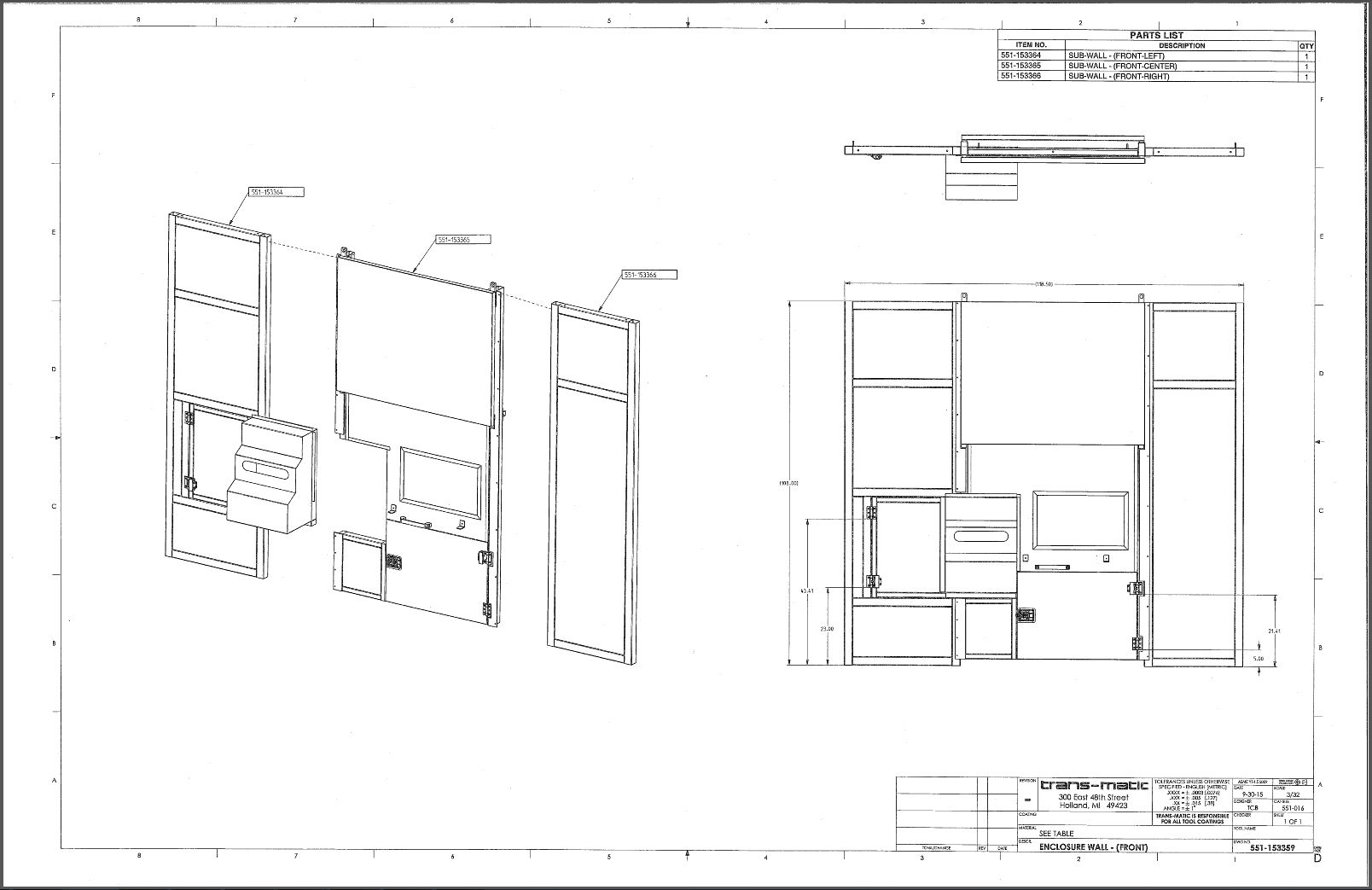
We are having an issue where drawings will sometimes print out with the all the fonts incorrectly scaled up. These drawings do contain TrueType fonts, but they're not being sent to the printer that way. The plotter config files are telling Creo to stroke all fonts before output. What makes this so confusing is that the output can be right one minute and wrong the next with no changes to the Creo session (as far as I can tell). The exact same user on the exact same computer printing the exact same drawing to the exact same printer (with the exact same method) is getting different results.
Now technically this is probably an automation question since we're using B&W's SmartAssembly to automate the printing, but I hoping to increase exposure by leaving this in the root Creo context. I'm really hoping someone has seen something similar, regardless of whether or not automation was used. No matter what I try I haven't been able to figure out how to make Creo stop doing it when it is happening, or cause it when it's not happening. Please let me know if you've ever seen something similar. Thanks.
Creo Parametric 3.0 M060
B&W SmartAssembly 5.0 M130
Correct Plot:
Incorrect Plot:
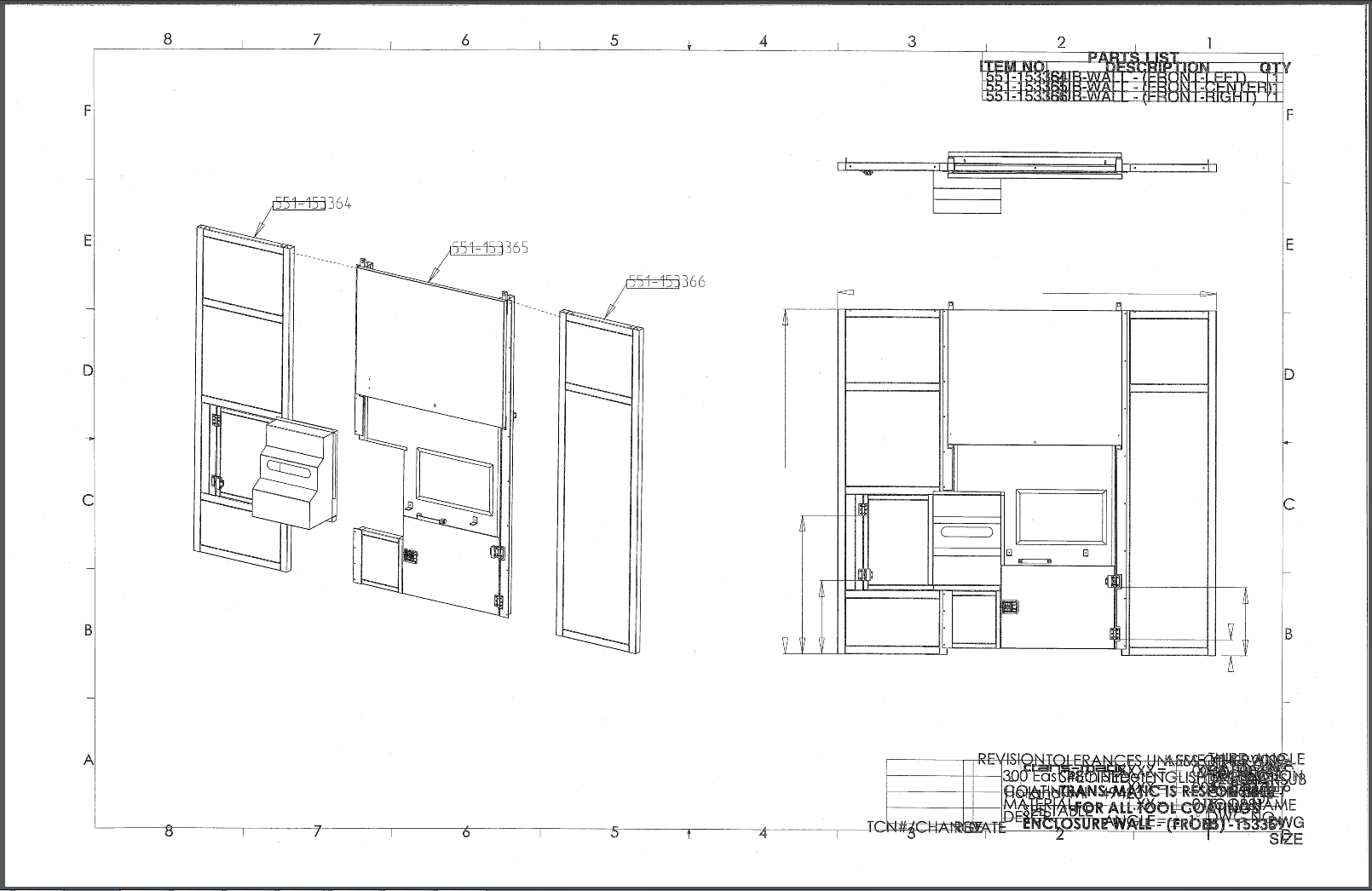
Edit: I just noticed that the dimension arrows are being scaled up too, so this seems to be some type of scaling issue beyond just the fonts.
This thread is inactive and closed by the PTC Community Management Team. If you would like to provide a reply and re-open this thread, please notify the moderator and reference the thread. You may also use "Start a topic" button to ask a new question. Please be sure to include what version of the PTC product you are using so another community member knowledgeable about your version may be able to assist.