

What does "Automatic reference creation from selected background geometry" do?
Using Creo 5.0.4
I cannot tell what the "Automatic reference creation from selected background geometry" option does.
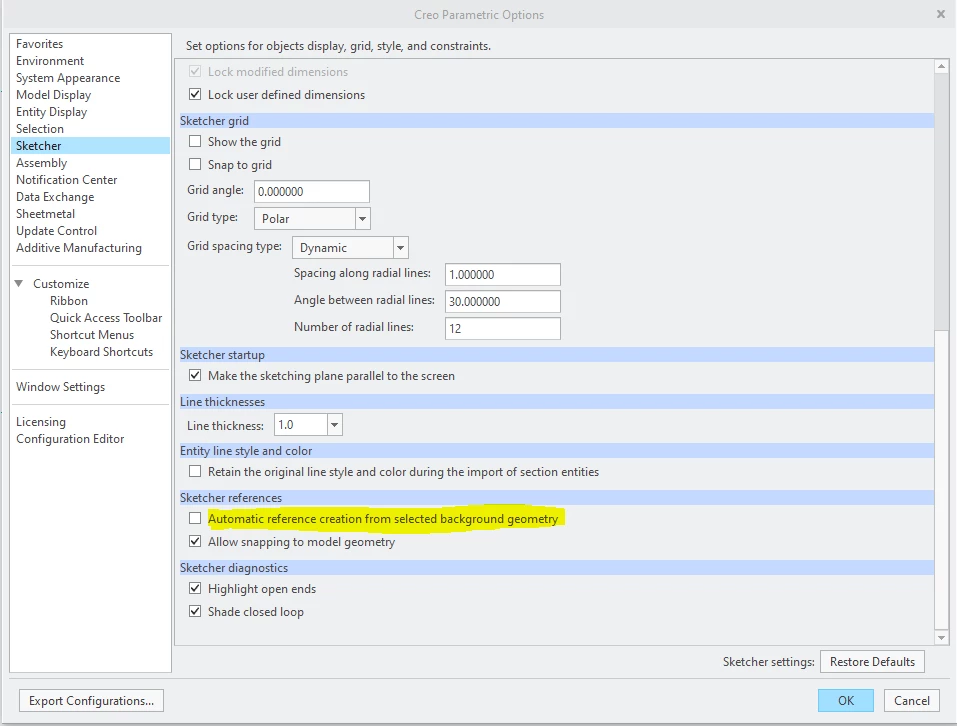
My interpretation to the Help Center page, with it off, you have to select a sketch tool, like Line, first in order to Alt+select a background entity to add it as a reference. With it on, you do not need to select a tool 1st. However, I can Alt+select and add entities as references by right clicking, regardless if it's toggled on or off.
sketcher_auto_create_references is not in my config file, the default is no (off).
So, what does "Automatic reference creation from selected background geometry" accomplish?
For background, I am/was an advanced Solidworks user/administrator for the last 10 years and am now using Creo for a different company. I am about 3 weeks in at this point. I have taken many PTC training courses and have been using this forum and other internet sources for information. It has been frustrating starting over, but this is not my 1st CAD transition, so I know not to hate on the program, but to learn it!