Question
When I add a note to a hole in the model & when I show model annotations in drawing
How do I get the note to be attached to the hole with a leader and an arrow when I use the Show Model Annotations? The way it is now the notes end up in places on the drawing.
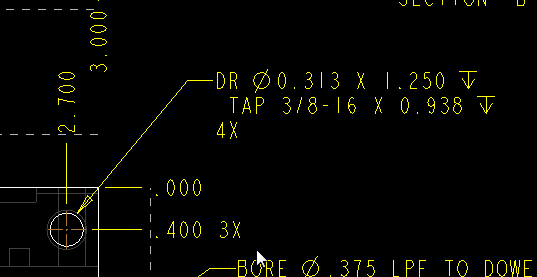
I want this to work just like it does with a tapped hole. I have to go back and find the note and attach the leader to the feature, real easy to pick the wrong hole
I tried a UDFI but then the note in the UDFI does not work
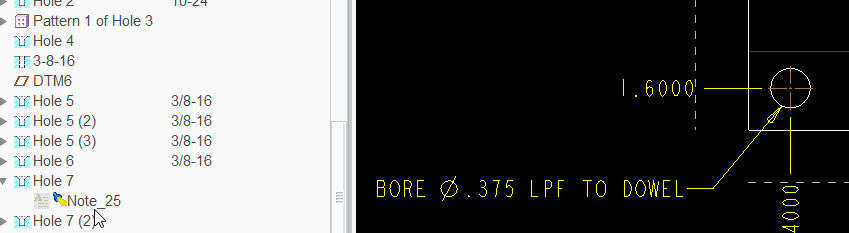
I had to attach this note to the hole myself.
this note attaches on it own