

avillanueva
23-Emerald I
23-Emerald I
January 24, 2024
Solved

Windows Display Zoom and odd Workspace behavior

  • January 24, 2024
  • 2 replies
  • 2650 views

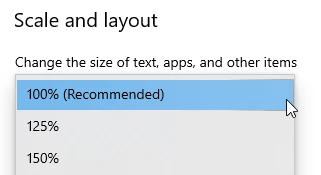
Just to start off, I do not believe this to be a bug or anything to do with Windchill, just that we noticed in the workspace browser. The user had changed one of their displays to something other than 100%.
avillanueva_0-1706116969300.png

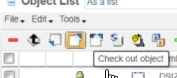
After that, the creo embedded browser started acting strange. The user reported that they could not click on the buttons on the toolbar, nothing was happening. This also might be related to multiple monitors, dragging the Creo session to another screen after the scale was changed to something other than 100%. Here is what I noticed:
avillanueva_1-1706117061916.png

If you put your mouse over the icon, nothing. If you hovered your mouse lower and slightly right, the icon highlighted and you can click that empty space and the icon activates. Weird. Thanks to @Chris3 for cluing us in. I wanted to document for others since I could not find this in the support knowledge base.  Returning to 100% and restarting Creo seemed to resolve the issue. Kind of makes sense that something gets thrown off. Note the display looks blurry like there is some scaling going on but the location of the click areas did not get changed. 
 

Best answer by avillanueva

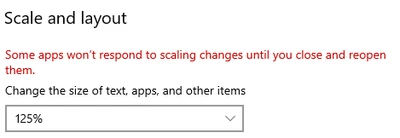
I think they have enough to worry about. There is also this from Microsoft:

avillanueva_0-1706187623271.png


2 replies

24-Ruby III
January 25, 2024

Hi,

please contact PTC Support.

avillanueva
23-Emerald I
23-Emerald I
January 25, 2024

Why? I do not believe this is a PTC issue and its solvable. I was just sharing solution.

24-Ruby III
January 25, 2024

@avillanueva wrote:

Why? I do not believe this is a PTC issue and its solvable. I was just sharing solution.


Hi,
if I were you I would ask PTC if I can use the scale 125% or 150%.

10-Marble
January 5, 2026

Might be related to this issue?


https://www.ptc.com/en/support/article/CS387586