Question
work with part apperance color and body apperance color
Hello Community,
We have many parts that were created in an old version of Creo when there was no multi-body function yet.
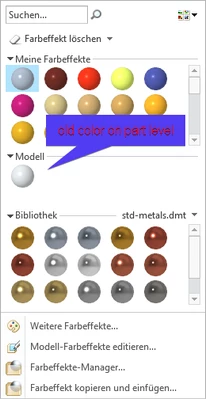
All of these parts have the color assigned to the part level.
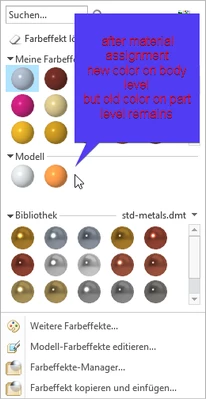
If I now change the material, the new material color is assigned to the body level.
However, the old part color remains in the model.
When I export a STEP file, the old color of the part is used and the new color of the body is ignored.
Yes, I can manually delete the color from the part level, but that takes a lot of effort for each part.
Is there a way to automatically remove the part appearance color from all parts?
Or is there a way to apply the color to both the body and the part when assigning the material?
Thank you!