6-Contributor
July 13, 2026
Question

X-Hatching for zone/3D Section

  • July 13, 2026
  • 3 replies
  • 73 views

Hey,

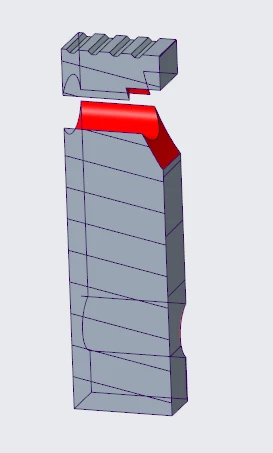
I have used zone section view,


I want to increase the X-Hatching size in my drawing view.
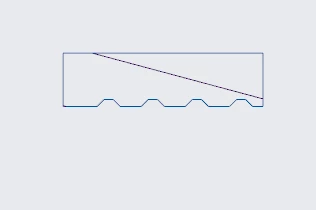
 

How can I do it?

3 replies

KenFarley
21-Topaz II
July 13, 2026

When in the drawing, select the Layout tab. Hover your cursor over the crosshatched region you want to change, and when it highlights the area, select it. The ribbon commands will display all the different ways you can modify the hatching, like angle, spacing, color, etc.

6-Contributor
July 13, 2026

Your suggestion is working for 2D cross section, but not for 3D.


When I hover my cursor over the crosshatched region, it does not higlight.

KenFarley
21-Topaz II
July 13, 2026

My guess would be that the way the 3D ones look is based upon how they look in the model. You probably have to modify the spacing, line style, etc. of those sections by selecting the section in the model tree and right clicking for the properties tab.