15-Moonstone
September 21, 2017
Question

Assembling different materials in Creo Simulate 3.0
  • September 21, 2017
  • 1 reply
  • 6168 views

FROTTEMENT_INFINI.jpgINFINI.jpg

Hello,
I have a cantilever composed of a rectangular tube made of Alu into which is inserted a Steel U to strengthen it.
There are no games between the two parts.
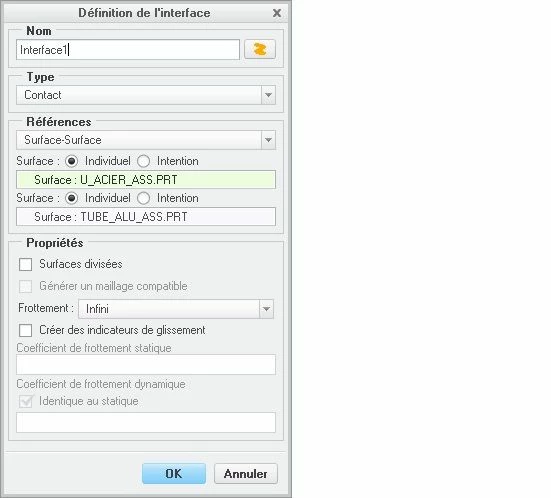
The 5 faces in contact are defined manually with infinite friction.

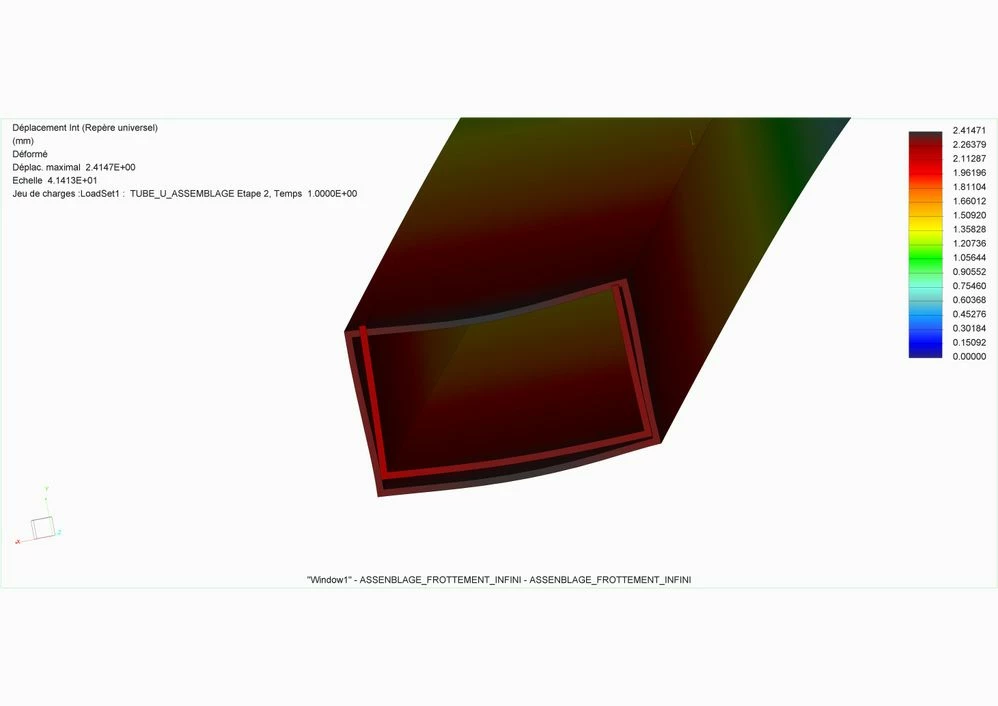
But in the final result the two parts do not remain in contact, there is displacement through the matter.

What more should be proposed for contact?
Cordially.
Denis

1 reply

1-Visitor
September 22, 2017

Hi Denis,

Do you have the press fit control turned on in your analysis?

Silulate sometimes does not like line to line components and sometimes ignores the contacts.

Another option is to cut back the outer surface of the internal part so there's a very small air gap between the 2 parts so the contacts are invoked.


Hope this helps,

Don Anderson

15-Moonstone
September 22, 2017

Hello Danderson-3,
The part between iron, between the two parts is zero,

I do not understand this control:
Do you have control of the pressure adjustment activated in your analysis?

Contact surfaces are defined manually (not automatically)
Cordially.
Denis

1-Visitor
September 25, 2017

Hi Denis,


Verify that you have press fit enabled within your analysis to ensure the contacts are are processed for the line to line surfaces.


Don