

Create flattened quilt of merged surfaces
Hi All
It seems like I can't get the flatten quilt feature to work properly.
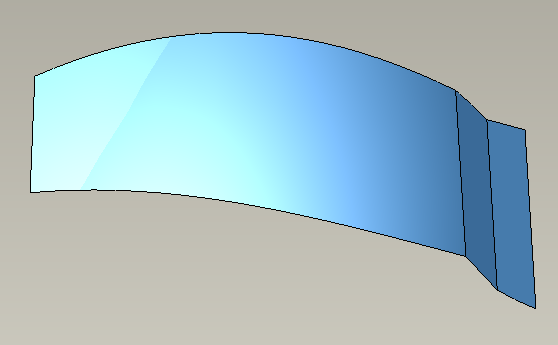
The first picture shows the model created as surfaces without any kind of round feature between the different surfaces.
The boundary blend feature is created with free boundaries between the surfaces.
When I try to use the flatten quilt feature it will not recognize the surface as a quilt, and therefore won't select the surface.
If the boundary blend feature is created using tangent or curved boundaries or the corners are rounded after the boundary blend using free boundaries, then the flatten quilt feature recognizes the surface but now I get a warning that the features can not be created without errors.
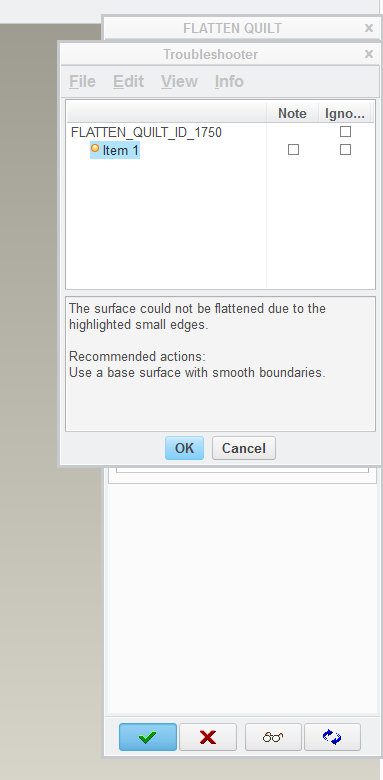
There are no highlighted edges to be found on the model as described in the troubleshooting dialog.
Does anybody have any idea as to what I'm doing wrong or why this won't work??
Thanks in advance
/Brian
This thread is inactive and closed by the PTC Community Management Team. If you would like to provide a reply and re-open this thread, please notify the moderator and reference the thread. You may also use "Start a topic" button to ask a new question. Please be sure to include what version of the PTC product you are using so another community member knowledgeable about your version may be able to assist.