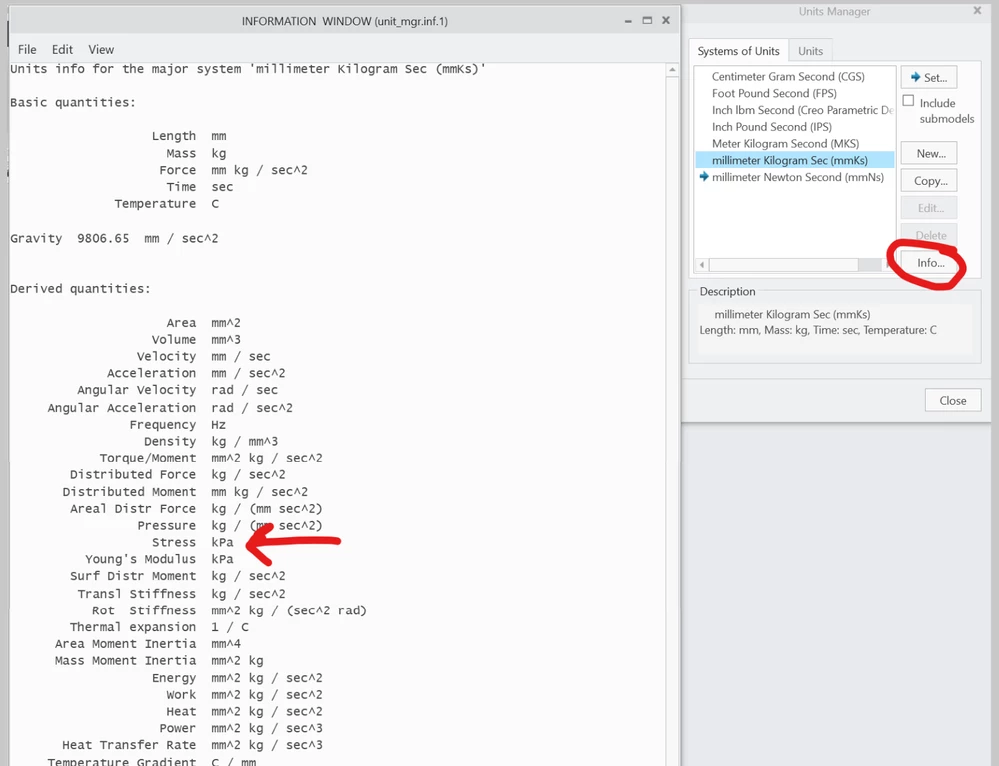
Creo Simulate RPT file output units?
Hi everyone,
I'm trying to use the simulated fasteners feature within simulate but I am having trouble understanding the values that are being generated and output within the .RPT files. Please could someone help me understand the units it generates the results in and there magnitude. Are the results related to the principal system units? If so how? Or is some conversion needed?
For example say may principle system units are: millimeter Kilogram Sec (mmKs)
And my reference results for a fastener are:
Fastener1_axial_force: -3.623420e+02
Fastener1_axial_stress: -1.921483e+01
Fastener1_bending_moment: 6.681525e+03
Fastener1_bending_stress: 5.784788e+02
Fastener1_intf_bend_momt: 7.016585e+04
Fastener1_intf_norm_forc: -3.369641e+03
Fastener1_intf_shr_forc: 3.136455e+04
Fastener1_intf_tors_momt: 8.245580e+04
Fastener1_sep_stress: 7.248065e+02
Fastener1_shear_force: 2.094341e+03
Fastener1_shear_stress: 1.110620e+02
Fastener1_torsion_moment: 7.680219e+02
Fastener1_torsion_stress: 3.324723e+01
How would you interpret/determine the units of these results?
Thanks