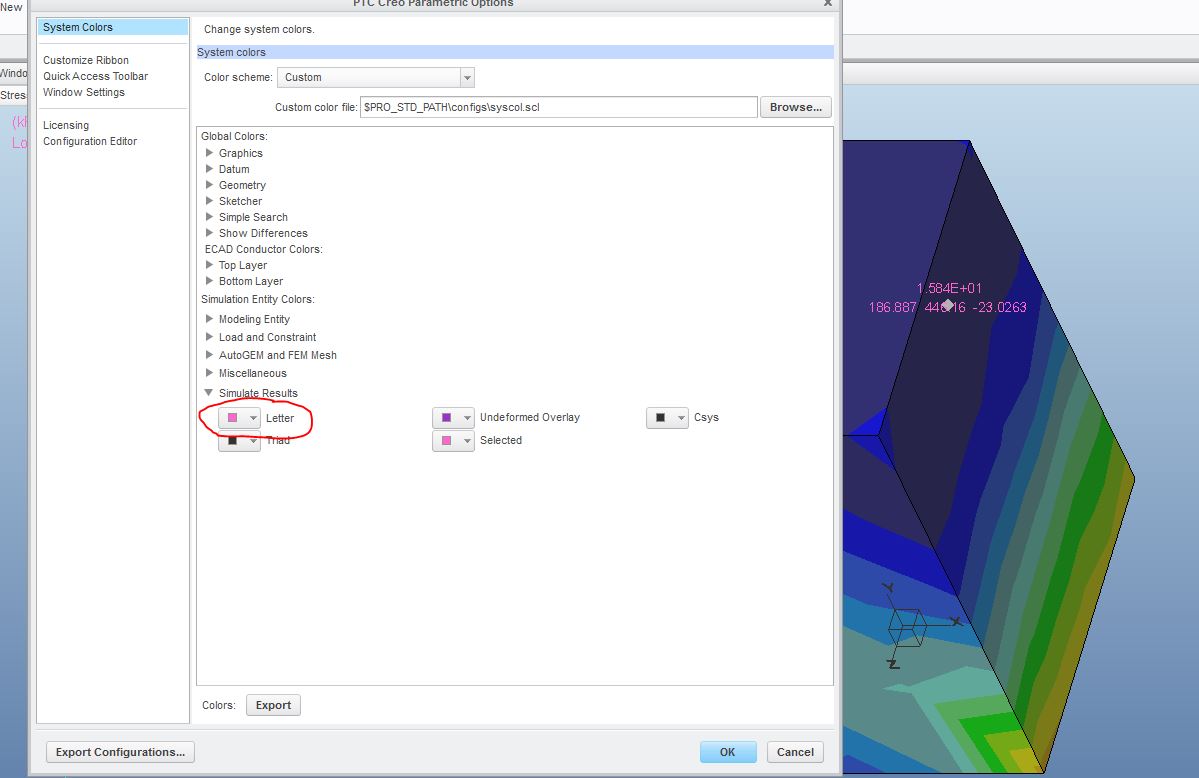
Solved
Creo Simulate tag color
I have been looking all over for the setting to change the color of the text in Creo simulate tags (i.e. Dynamic query, Model Max, etc.) In most cases most of the result model is dark blue, it is really difficult to see the black tag text. Is there a way to change it to e.g. a bright manly pink so that is clearly visible at all times? Below is a screenshot clarifying my problem.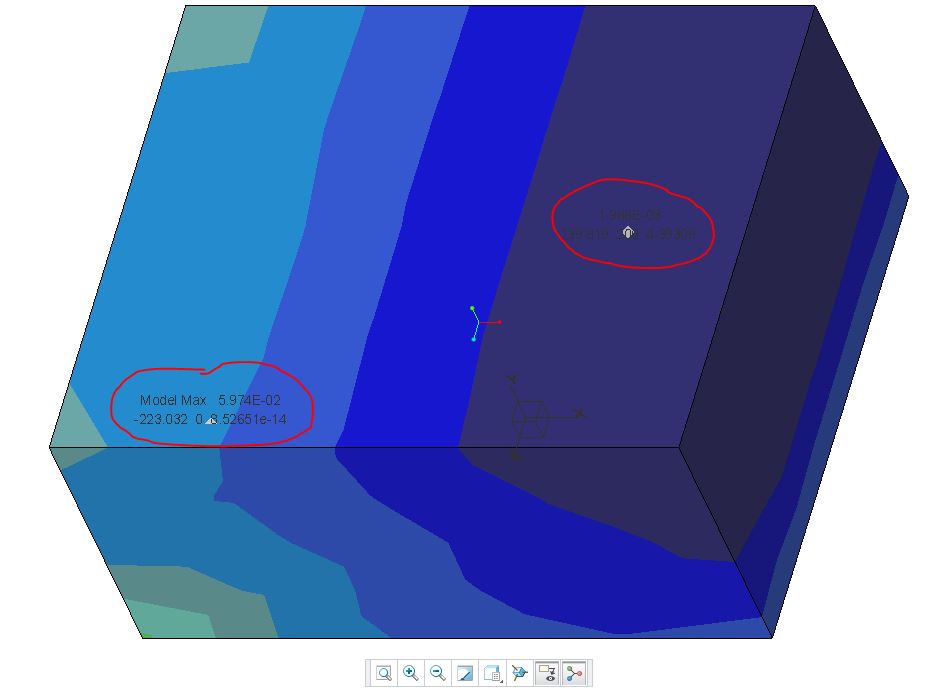
This thread is inactive and closed by the PTC Community Management Team. If you would like to provide a reply and re-open this thread, please notify the moderator and reference the thread. You may also use "Start a topic" button to ask a new question. Please be sure to include what version of the PTC product you are using so another community member knowledgeable about your version may be able to assist.