4-Participant
November 15, 2024
Question

Enable Volumetric flow rate & volumetric flux in section window of postprocessing Creo Flow Analysis

  • November 15, 2024
  • 3 replies
  • 1232 views

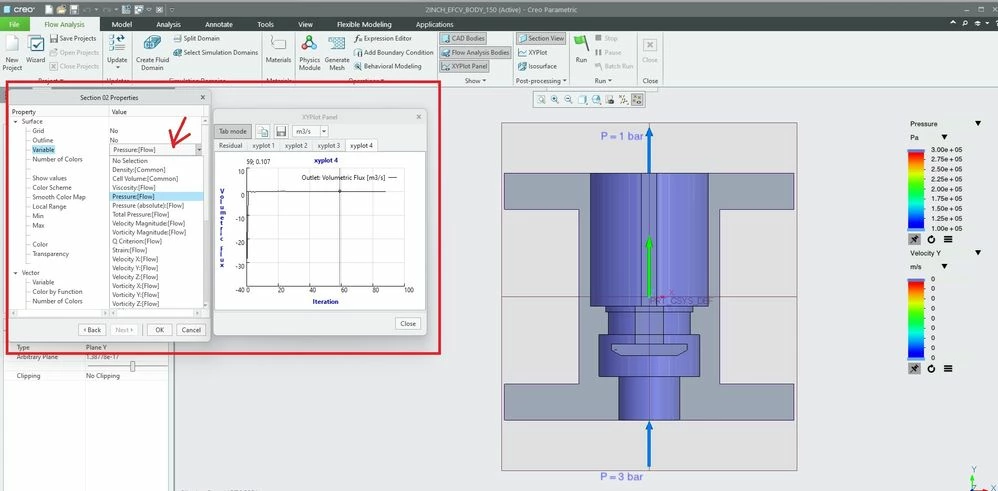
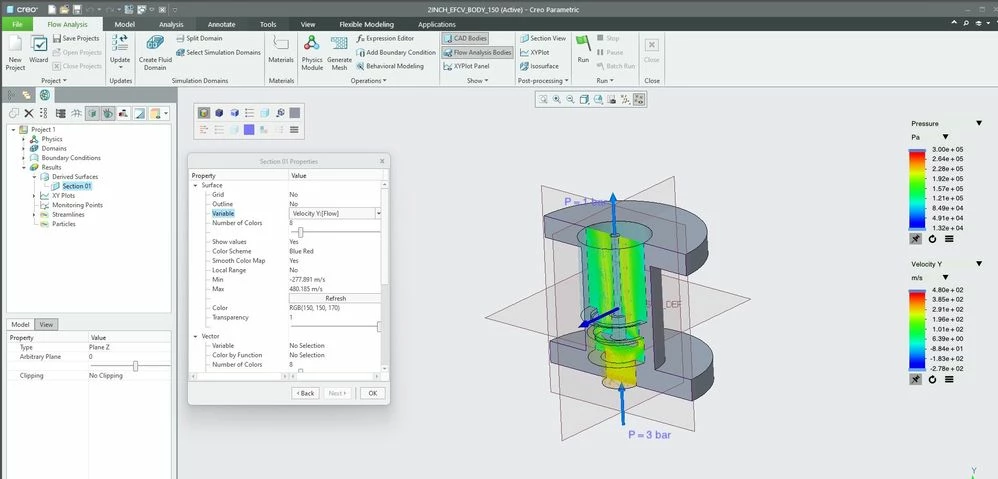
Enable Volumetric flow rate & volumetric flux in section window of post processing Creo Flow Analysis. Can anyone suggest any workaround?

when will PTC introduce these variables in Creo Flow Analysis ?

Is there any development / work going on related to this subject?
Catalina_0-1731679489557.jpeg

Catalina_1-1731679494840.jpeg


3 replies

Catalina
Community Moderator
November 21, 2024

Hi @rr_01_12092842 

Thank you for your question. 

Your post appears well documented but has not yet received any response. I am replying to raise awareness. Hopefully, another community member will be able to help.

Also, feel free to add any additional information you think might be relevant. It sometimes helps to have screenshots to better understand what you are trying to do.


Best regards,

Catalina | PTC Community Moderator
13-Aquamarine
November 21, 2024

Hello Rohit,


Thank you for your question!


Volumetric Flow Rate is fundamentally an integrated quantity across a surface and is not usable as a Surface Variable contour. Instead, it can be output as a value on an XY-Plot for any selected Boundaries or Interfaces. The steps are detailed here in the Post-Processing section of the Creo Flow Analysis manual:


https://support.ptc.com/help/creo/creo_pma/r9.0/usascii/index.html#page/simulate/cfd/PostProcessing.html#


You can find a list of the built-in outputs for Creo Flow Analysis in the online help here:


https://support.ptc.com/help/creo/creo_pma/r9.0/usascii/index.html#page/simulate/cfd/OutputVariables.html#

Catalina
Community Moderator
November 28, 2024

Hi @rr_01_12092842 ,

I wanted to see if you got the help you needed.

If so, please mark the appropriate reply as the Accepted Solution or please feel free to detail in a reply what has helped you and mark it as the Accepted Solution. It will help other members who may have the same question.
Please note that industry experts also review the replies and may eventually accept one of them as solution on your behalf.

Of course, if you have more to share on your issue, please pursue the conversation.

Thanks,

Catalina | PTC Community Moderator