Export Graph into CSV or Excel File or Read result files via another tool (multiple output steps)
- May 24, 2025
- 6 replies
- 2763 views
Dear Community
I am using Creo 8.0.8.0.
I would like to export or extract simulation results in a easy way into a csv-file or other file format that can be imported into excel.
Currently I am facing following problem. I have done a Contact Analysis using 2 time step and I also wrote.
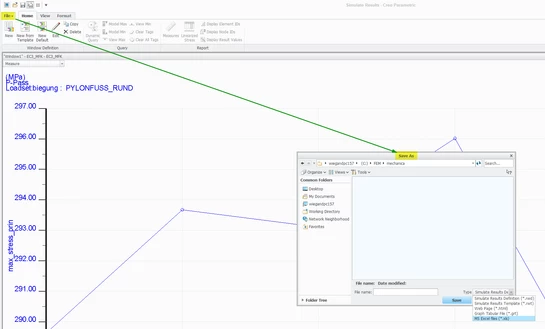
In the post processing I created a graph using a measure (force) vs. time. Somehow I cannot export the graph. Also I cannot plot two measures (e.g. bolt force vs. input force) that shows their correlation over each time step.
Somehow Creo creates several output-files and also folder of each time step but I am not able to find how to use this file and to extract the information I am interested in.
Below you find a screenshot of the graph I would like to export into a CSV or other format.
Within the post processing tool (Simulate Result) I was not able to export a CSV file. It was only possible to create a "rwd" file.
Following I did:
- Nonlinear (Contacts) simulation
- Output: 6 Master Steps (of each of them "Full results" have been written out
Is there a way to read some of the output files to get the information I need e.g. res-file?
Does the res-file includes the measures of each time step?
Thank you for your support.
Somehow I cannot upload the screenshot.