

How to Do A Correct "Cut-Out" in Creo/Elements
Hi, I'm a design engineer who previously took classes in Pro-Engineer back in 2006, and is now just beginning to requaint myself with it via the newer version, Creo Elements. To quickly get to the point, I designed a water bottle using an online tutorial off of YouTube, but I'm having one problem. I'm using the "Cut Out" tool and I'm not able to subtract the teeth on the bottle from the cap to create the recessed teeth space in the cover. Everytime I try it, I keep getting messages such as the following: "Warning: design intent is unclear in water bottle..use Info/Geom check in part mode".....and "Warning: different units in parts may cause problems. Rescaling dimensions". I'm perplexed!
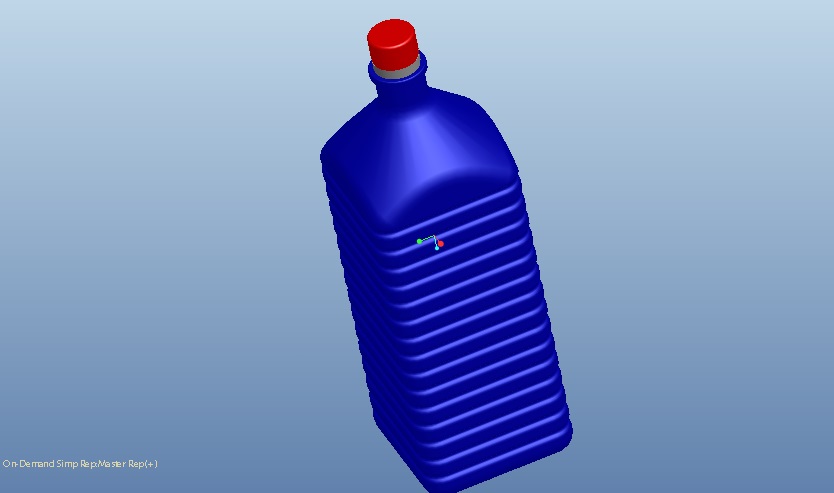
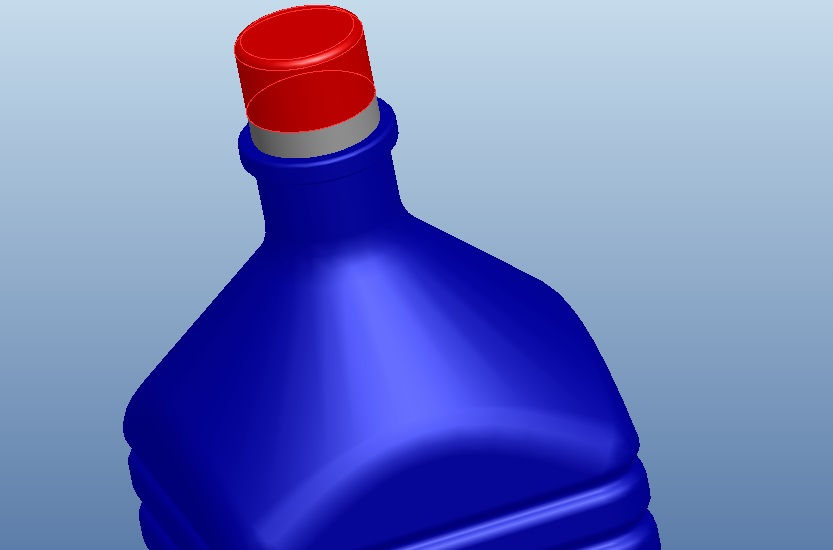
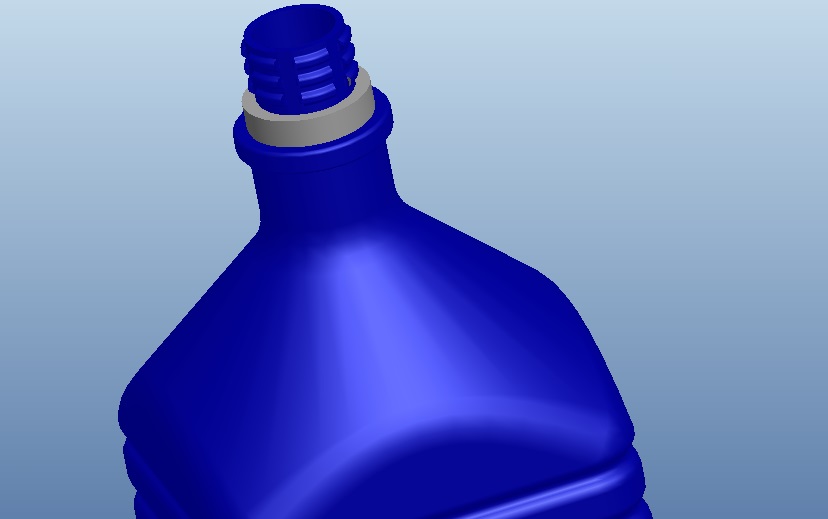
The gray piece is the ring. What I am trying to do is subtract the teeth on the bottle from the cover....I'd appreciate the help! Thanks in advance!
This thread is inactive and closed by the PTC Community Management Team. If you would like to provide a reply and re-open this thread, please notify the moderator and reference the thread. You may also use "Start a topic" button to ask a new question. Please be sure to include what version of the PTC product you are using so another community member knowledgeable about your version may be able to assist.