
1-Visitor
January 14, 2016
Solved

No Properties and Conditions group in Creo 3.0 Mechanism

  • January 14, 2016
  • 1 reply
  • 1665 views

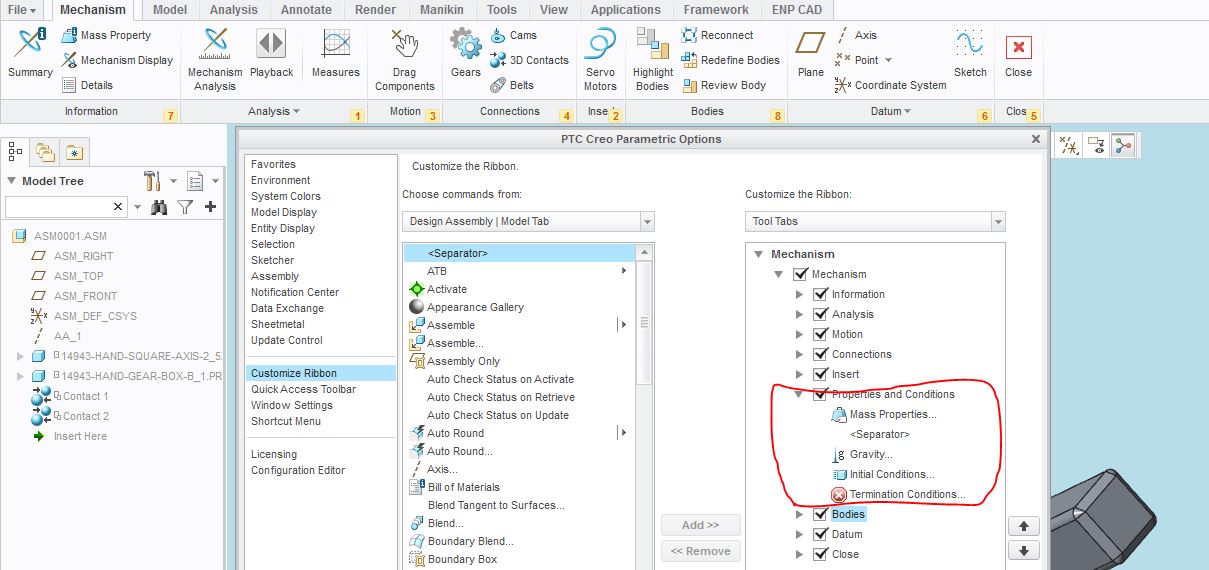
I am using Creo 3.0 to do some Mechanism work, however, There's no Properties and Conditions group on the ribbon, and it is not possible to customize the ribbon to make it appear, see below picture, have checked this group in the ribbon customize window, but still can not show it on the ribbon?  Anyone have any idea about this? Please help, thanks.
pppp.JPG


This thread is inactive and closed by the PTC Community Management Team. If you would like to provide a reply and re-open this thread, please notify the moderator and reference the thread. You may also use "Start a topic" button to ask a new question. Please be sure to include what version of the PTC product you are using so another community member knowledgeable about your version may be able to assist.
Best answer by jwu-2

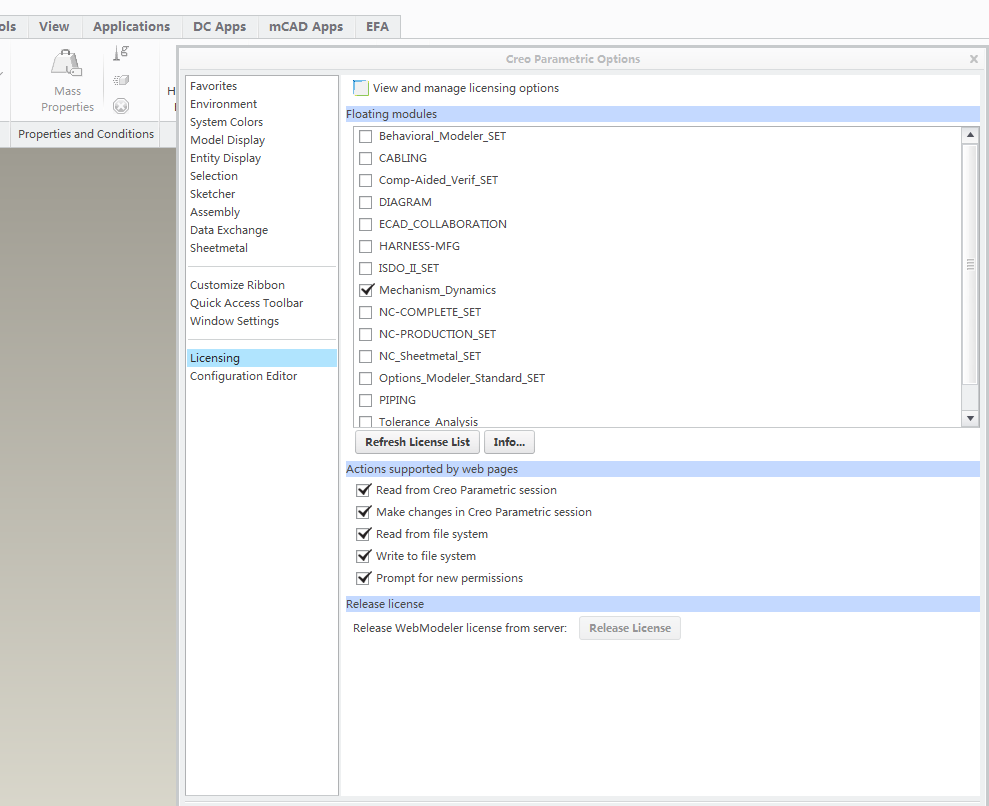
I think you didn't active mechanism dynamics license in your Creo.

click "file", then click "option", then click"licensing", you can find it. choose "mechanism dynamics"

1 reply

jwu-21-VisitorAnswer
1-Visitor
January 15, 2016

I think you didn't active mechanism dynamics license in your Creo.

click "file", then click "option", then click"licensing", you can find it. choose "mechanism dynamics"

zli-31-VisitorAuthor
1-Visitor
January 19, 2016

Thank you Jason, you are correct and it helped.

Checked with our IT and it turns out that we only have mechanism design license, no Mechanism dynamics licens, so can not use this funcation.

On the other hand, can't help complaining PTC license policy, don't quite understand why they will separate Mechanism dynamics license out from Mechanism design, I think money would be the only reason. Out IT manager asked me how often I need to use Mechanism dynamics, I said one or two times a year , then the IT manager said it impossible to buy the license because engineers only need to use it one or two times a year, what a dilemma.