1-Visitor
November 29, 2018
Solved

Problem Shell Pair

  • November 29, 2018
  • 2 replies
  • 13118 views

Hello

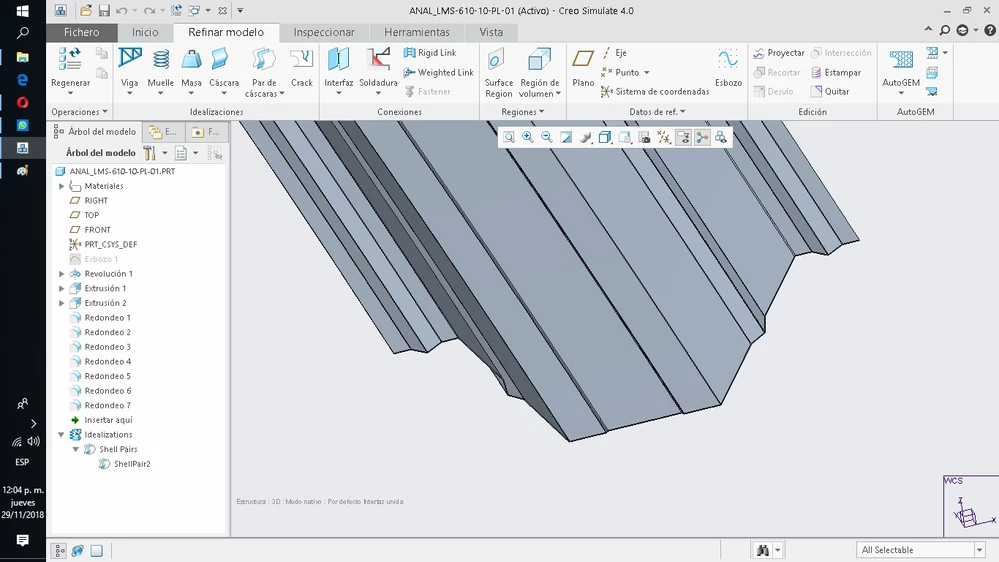
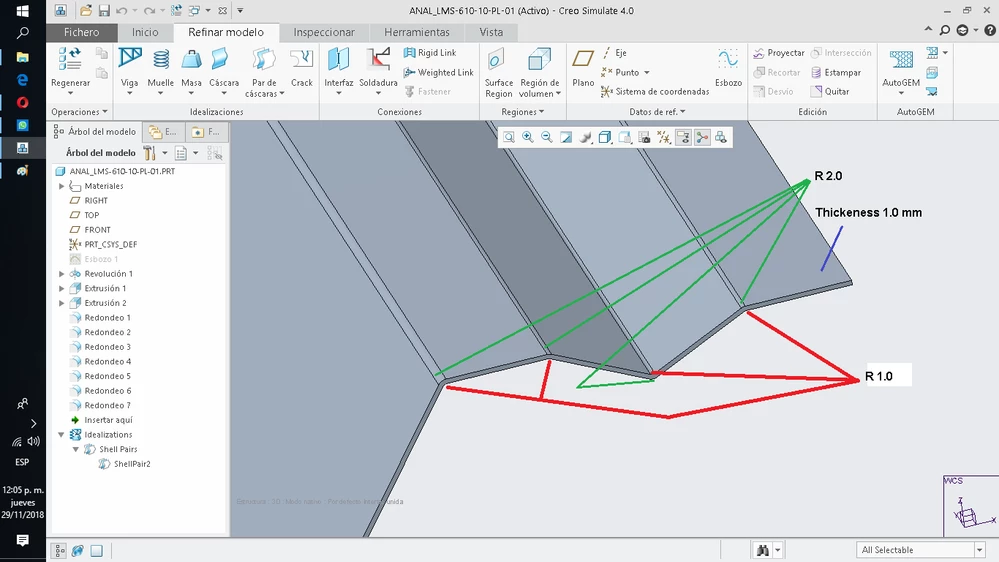
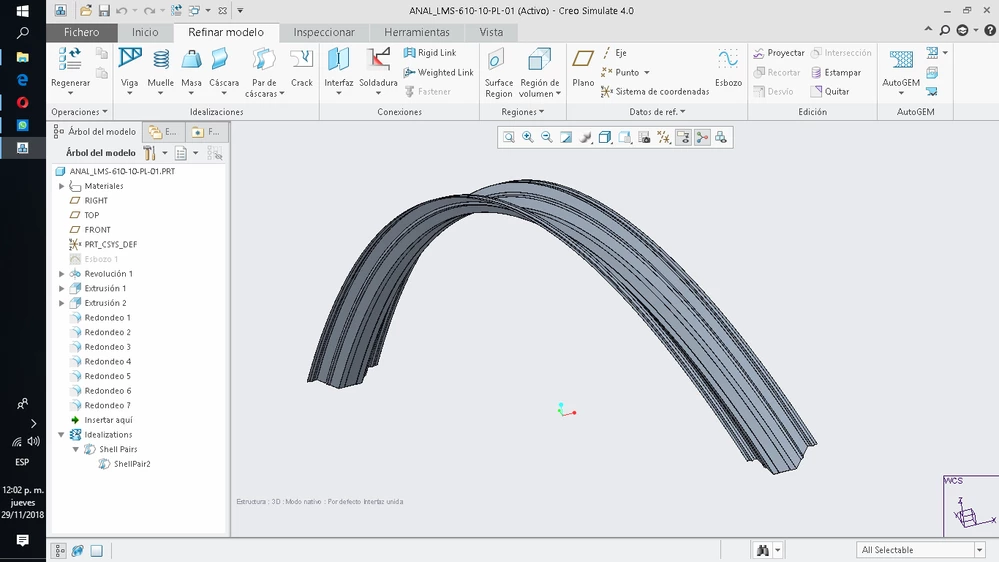
1.- When using Detect Shell Pair it does not detect the filletes (R1.0 and R2.0)

The surface is not completed.

What is the problem ???

The whole model is made in PTC CREO 4.0

2.- By using Shell Pair manually and with the option to extend adjacent surfaces, the average surface sought is formed.

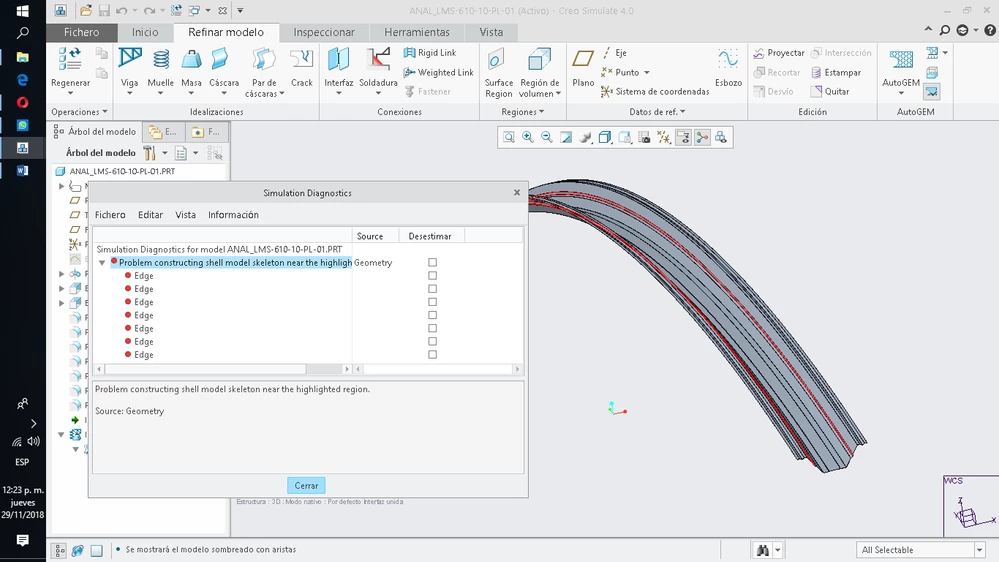
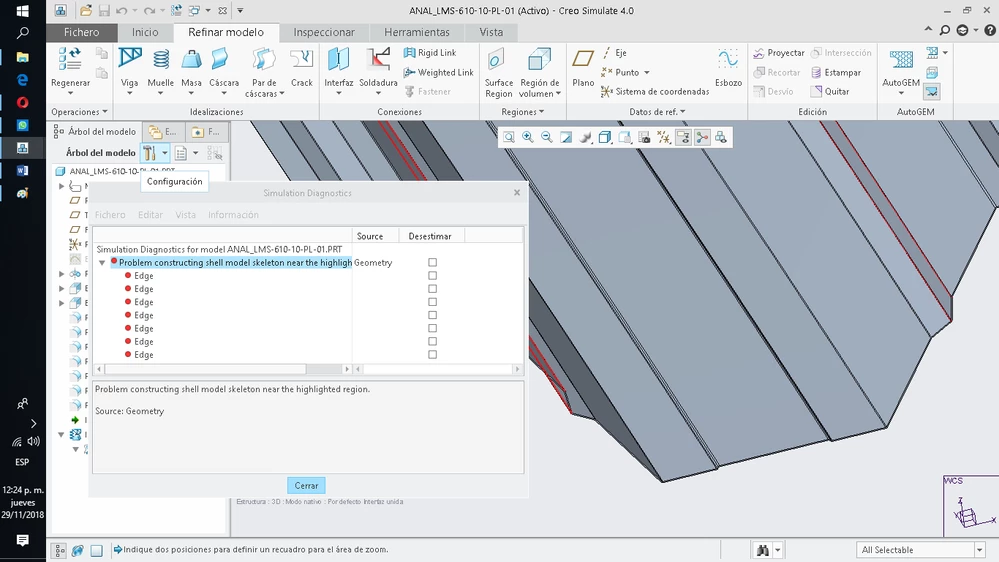
By using the AUTOGEM Review Geometry, it shows error in the edges


I have adjusted the absolute and relative precision variables, to be able to form those fillets (R1.0 and R2.0).


I assume that some variable needs to be adjusted in order to achieve the mesh of the average surface.


Regards

Carlos Mora L.
 

01.png02.png03.png04.png05.png

Best answer by cmora
Thank you very much to all

Unfortunately i had to use Ansys for the analysis.
I am currently modifying an existing Tank so that it has 03 compartments.
Also use PTC CREO SIMULATE but there are singularities that I could not eliminate in the end.
Personally really like PTC CREO.
Maybe i'm lacking in practice in the mesh methods that PTC / CREO uses, 
Thank you very much for your help.


2 replies

17-Peridot
November 29, 2018

The problem is with modelling.

My understanding is that auto-detect only detects thin solids, shelled solids, and thickened quilts.  Your rounds are not made by these.

In my opinion a good modelling practice would be to include the fillets in the revolved cross section even if not simulating.


Thin solidAutomatic ShellAutomatic Shell

shell.PNGthicken.PNG 


Also useful is [REFINE Model]  Review Geomreviewgeom.PNG


Consider whether you need to model the small fillets.

17-Peridot
November 29, 2018

Hello,
I don't think it's a good practice modeling thin radius with shells. The curvature is too high and you have to use solid elements.
I suggest you to insert volume regions "on the radius" in the way you extrude the volume along the length.
I don't remember the right curvature value beyond which you can use shells...

17-Peridot
November 30, 2018

Thanks gfraulini.

According to this documentation, the curvature is OK but getting close.

http://support.ptc.com/help/creo/creo_pma/usascii/index.html#page/simulate/simulate/modstr/props/reference/sh_thickness.html


Note: Use the midplane surface for the curvature analysis.

This design is curvature 0.667 * thickness 1.0 = 0.667 < 1.5 so it is OK.

According to this the minimum radius would be 0.17 (0.67mm radius at the midplane)


Curvature MeasurementCurvature Measurement


I personally would not use shell pairs, I would use a quilt with a shell property.  That would allow a mapped mesh with only quads and a much better mesh and faster simulation. The number of elements and whether I included the small fillets would depend on what I was trying to accomplish.  If this ends up as a wheel with spokes on a full model of a bike I would include less details.  If I was only interested in deflection/stiffness/mode shapes I would omit the rounds.  If I was doing a design sensitivity study I might check the difference with and without rounds and then decide whether to include them for a multiple-run type of study. 


mapped quad shell meshmapped quad shell mesh


17-Peridot
December 2, 2018

Are you able to make a 2D-3D mesh where shell elements touch bricks or wedges which derived from a mapped control?
I tried but it didn't work...
The shells were made at the mid-plane and the mapped control created nodes in the thickness middle so that the two kind of elements can share nodes.
Have you any suggestion?