Solved
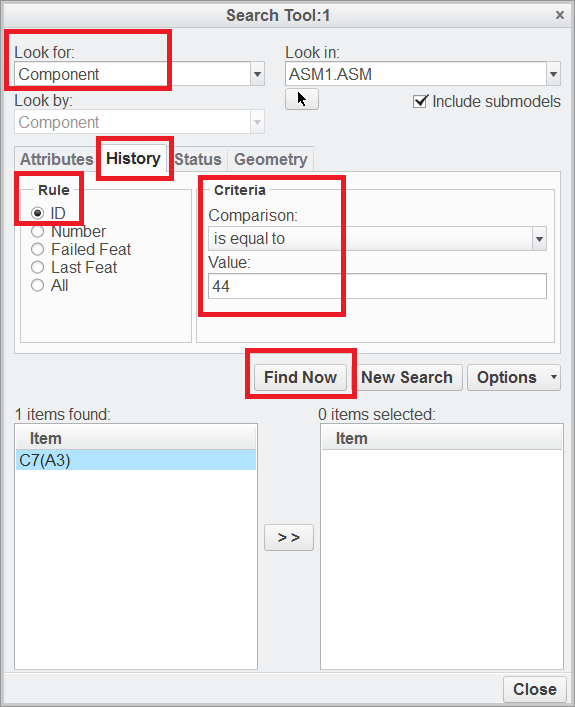
Search a part by it's ID
It's dam irritating how creo gives information but prevents you to chase and correct it
WARNING: Cannot update placement of component (M148).
So I went and found that this number in parenthesis is a feature ID
Tried Ctrl+F and found the most useless tool on creo: the search feature.
(Or at least the least intuitive, in case I'm doing something wrong...)
How do I find this offending part with the code provided in parenthesis ?
Also, there is a "Simple search" on the model tree
Can it be used ?
This thread is inactive and closed by the PTC Community Management Team. If you would like to provide a reply and re-open this thread, please notify the moderator and reference the thread. You may also use "Start a topic" button to ask a new question. Please be sure to include what version of the PTC product you are using so another community member knowledgeable about your version may be able to assist.