

Question
Trimming Solids and Part Modeling Question
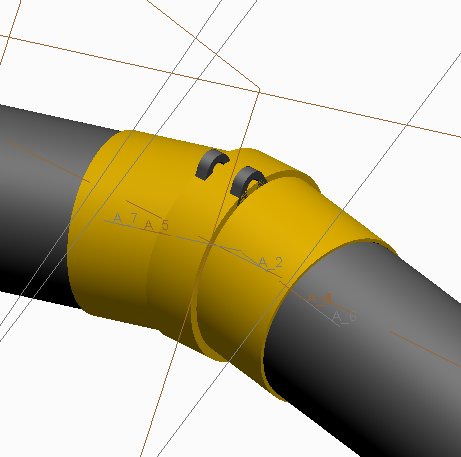
NX user here learning Creo 2.0. I'm modeling a part with several revolved surfaces which overlap. Shown below, the gray is reference "independent geometry. Three revolved sketches form three solids as shown. Is there a way to combine the separate revolved models into one. This is within a part file and not separate parts in an assembly. In NX I would use a function called "unite" with combines the solids into one. I'm also not sure if the surfaces need to be trimmed first before the model entities are combined, also, I'm not even sure if this is acceptable practice in Creo. Thanks
This thread is inactive and closed by the PTC Community Management Team. If you would like to provide a reply and re-open this thread, please notify the moderator and reference the thread. You may also use "Start a topic" button to ask a new question. Please be sure to include what version of the PTC product you are using so another community member knowledgeable about your version may be able to assist.