
1-Visitor
November 26, 2017
Question

Unusable commercial version templates came with Student Version Creo 4.0

  • November 26, 2017
  • 1 reply
  • 2411 views

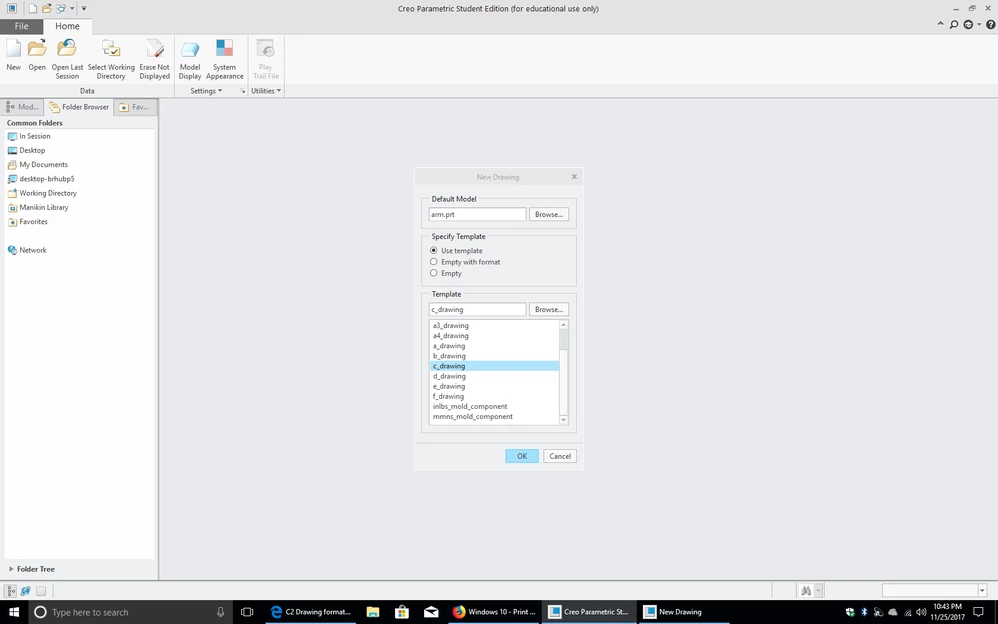
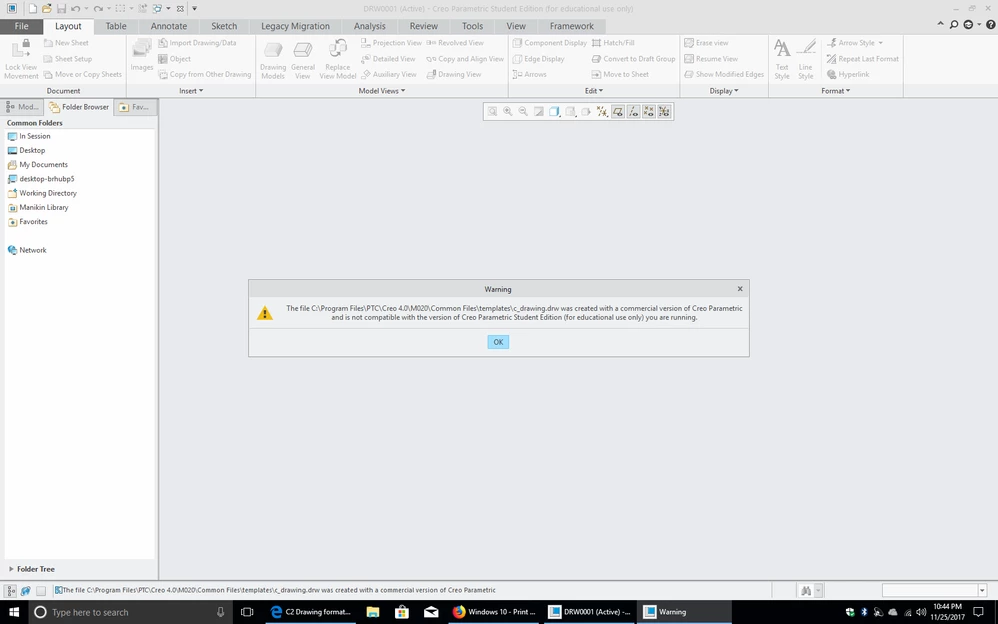
I am trying to get a lesson done for my Creo class which requires creating a drawing of a part. I have Creo 4.0 Student Edition for Windows 64-bit Pro. However, I get the following warning which says that the drawing templates that came with this student edition where created in the commercial edition and cannot be used!!! How can i get Student versions of these?
 

6F1E877A-1657-44BF-B8F0-C78643E4FAF6.pngDFF3D35D-2E7D-488F-9CDB-9BE301BABF08.png

1 reply

mszlazak1-VisitorAuthor
1-Visitor
November 27, 2017
I think i found the solution. It seems that the choice of drawing templates that the popup gives is to the wrong set of files. Instead i browsed to another file folder that had a few of the same name files like c_drawing.drw. This one seems to work. The location of these other template files is:

C:\Program Files\PTC\Creo 4.0\M020\Common Files\creo_standards\templates\

Any other suggestions are welcome.
StephenW
23-Emerald III
November 27, 2017

Templates are not required to make a drawing. You can just choose EMPTY and then a sheet size.

If you have formats for your school, you can add the format afterwards or if you know a format up front, you can choose, EMPTY WITH FORMAT to select a format.

Templates are something that companies (or maybe schools) custom build to apply certain standards to the drawing. The key is they are custom and some "generic" template would be mostly worthless.