

What is the trick behind replacing a part model?
I have a part model that includes an External Merge.
I need to Replace one of the parts that gets merged.
There is no option for "Replace" in the tree so I choose "Edit Definition".
The merged part shows up top in a selection box "as shown".
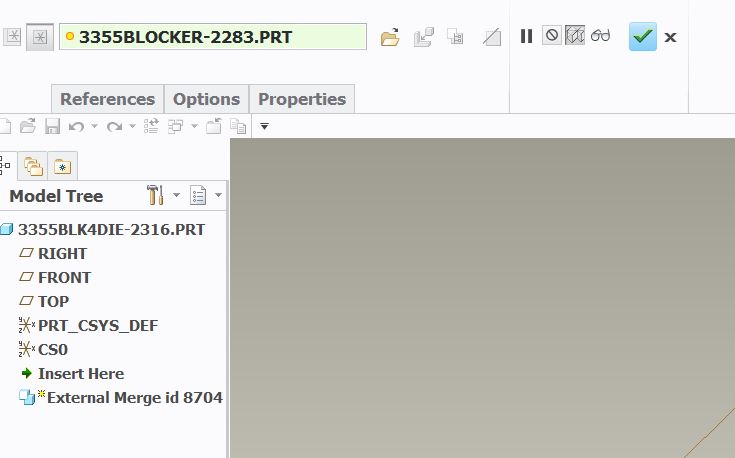
On 1st look there is no option to replace out the model. However if I right click in the selection box I get the "Replace" option which I click. I would think this would allow me to open up the file just to the right of the selection box, but it does not allow it to open so I could pick a part as the replacement. Instead I see the following warning dialog at the bottom of my screen.

Presently I am deleting the External Merge and reinserting the newly revised model file. I'm thinking it should be possible however to Replace out one model for another. How would this be done?
This thread is inactive and closed by the PTC Community Management Team. If you would like to provide a reply and re-open this thread, please notify the moderator and reference the thread. You may also use "Start a topic" button to ask a new question. Please be sure to include what version of the PTC product you are using so another community member knowledgeable about your version may be able to assist.