14-Alexandrite
September 14, 2023
Solved

Zero Thickness result in 3D thickness analysis

  • September 14, 2023
  • 1 reply
  • 3079 views

Software : Creo Parametric

Release: 9.0
Version: 9.0.5.0
Creo Platform Agent: 1.6.240
Creo 9 Platform Services: 1.3.42
License Name: PROE_DesignEss
License Version: 41.0

------------

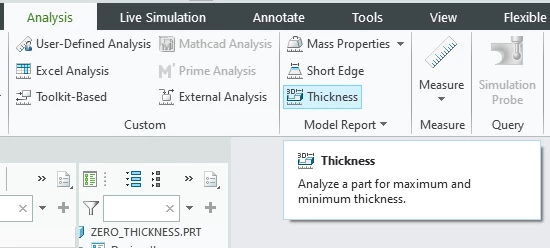
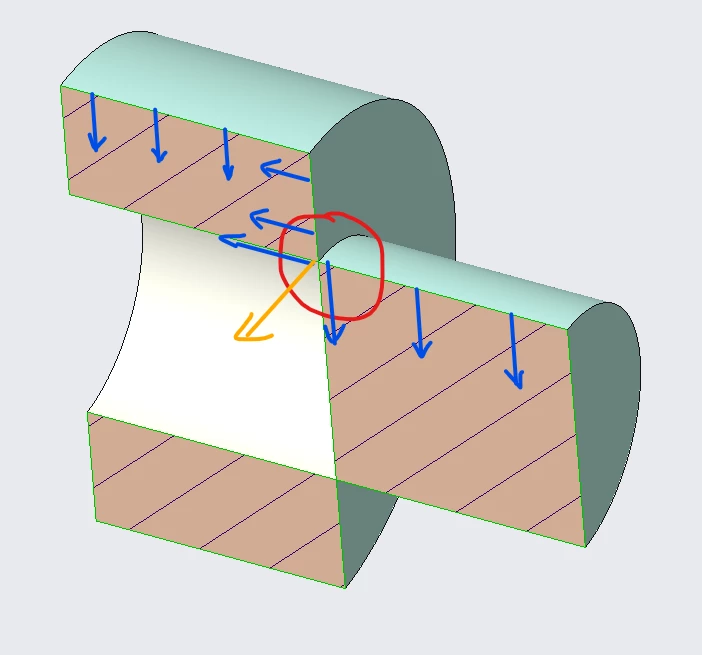
While using the 3D thickness analysis tool, "Zero Thickness" is not indicated / detected. I presume the thickness is measured as surface Normals as indicated by Blue Arrows. It however appears, the direction of the Resultant (orange arrow) at the Sharp Edge is not considered for measurement.


This function works correctly, when there is a round, i.e. when the thickness is positive. Screenshot 2023-09-14 170816.png
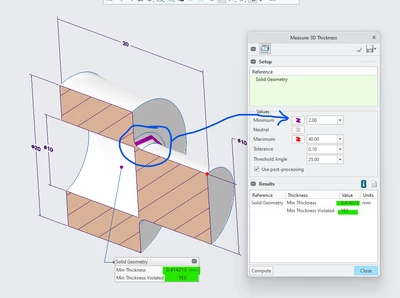
Incorrect minimum ThicknessIncorrect minimum ThicknessWhile using this commandWhile using this commandResultant thickness at the Vector not taken.?Resultant thickness at the Vector not taken.?

Best answer by SweetPeasHub

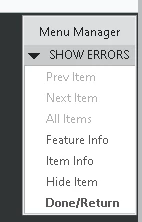
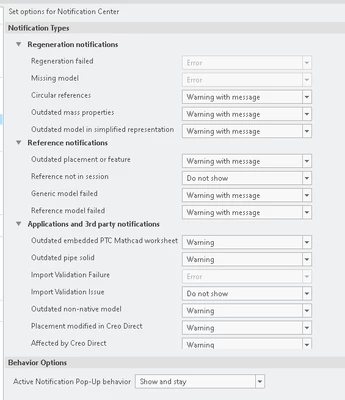
I think they do OK on the warnings and geom checks can be shown immediately when they are created., I just found this other notification area and have never messed with it. I am very interested in showing my users when they get circular references in particular. Previously I looked for .crc files in their working directory. There are always things to learn even for 27 years of Creo use!  Which is one of the reasons I am involved in the PTC community.

-Regards


SweetPeasHub_2-1695239517026.png


Default is No

SweetPeasHub_0-1695238978642.png

SweetPeasHub_1-1695239257235.png

SweetPeasHub_3-1695240001882.png


1 reply

24-Ruby III
September 14, 2023

@Srinivasan-Iyer wrote:

Software : Creo Parametric

Release: 9.0
Version: 9.0.5.0
Creo Platform Agent: 1.6.240
Creo 9 Platform Services: 1.3.42
License Name: PROE_DesignEss
License Version: 41.0

------------

While using the 3D thickness analysis tool, "Zero Thickness" is not indicated / detected. I presume the thickness is measured as surface Normals as indicated by Blue Arrows. It however appears, the direction of the Resultant (orange arrow) at the Sharp Edge is not considered for measurement.


This function works correctly, when there is a round, i.e. when the thickness is positive. Screenshot 2023-09-14 170816.png
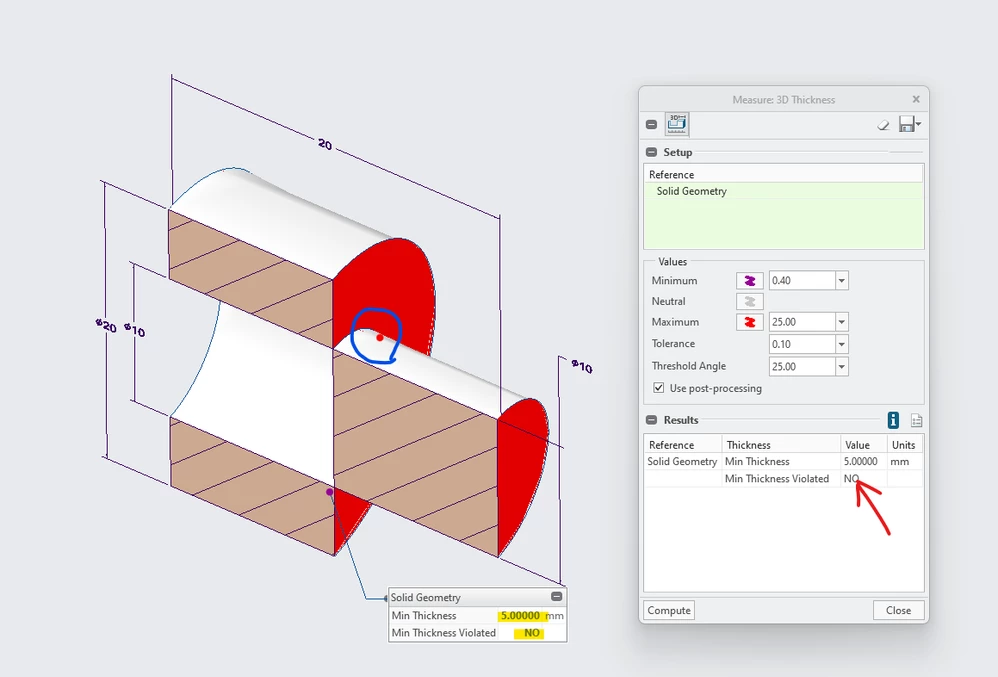
Incorrect minimum ThicknessIncorrect minimum ThicknessWhile using this commandWhile using this commandResultant thickness at the Vector not taken.?Resultant thickness at the Vector not taken.?


Hi,

please report the problem to PTC Support.

14-Alexandrite
September 15, 2023

Thanks for the suggestion. But then that is where I wanted to report. May be I didn't click on the right icons. I will try once again.

17-Peridot
September 18, 2023

There is problem with the geometry that should be given in another spot. It is very important to fix non-manifold geometry. All kinds of ugly problems turn up with non-manifold geometry. They are mathematically unplausible.


SweetPeasHub_0-1695048644159.png