

Attributes probleme in macro (Add Colors)
Hi evrerybody,
Here is my probleme, i try to create automatic attribute in macro like adding colors, pens, linestyle etc... that part works good, but in some case some pens, colors, already exist so it bug my macro... I try to modify macro to fit something like that:
If color "ABC" does'not exist...
Add color "ABC" then
If color "DEF" does'not exist...
Add color "DEF" then...
and same for pens, linestyle, shadows, etc.
Many thanks for support!!!
PS; hers goes my actual macro under error example
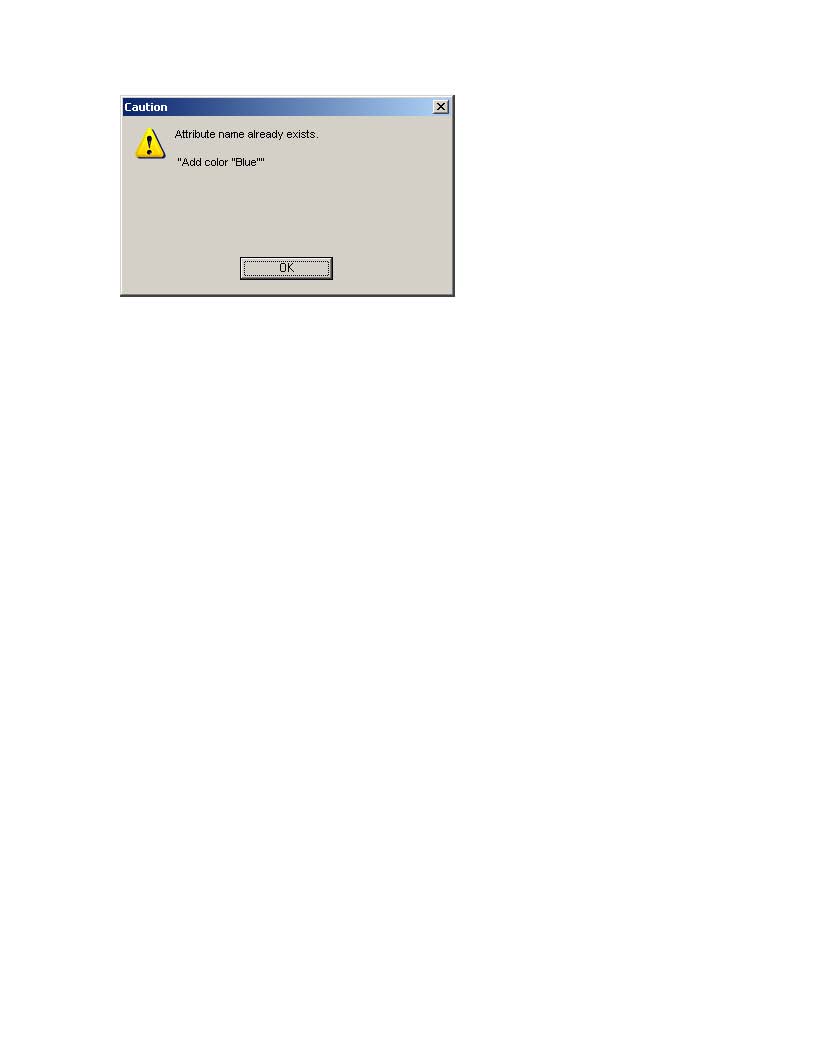
Macro Properties
DEFINE name AS string
name = "Set All Properties???"
MESSAGE name
# Attributes/Pens
App.window.pageY = 279.39
App.thickthin.upTo1 = 20
App.thickthin.upTo2 = 40
App.thickthin.useThickThin = false
App.shadow.shadowWidth = 1.02
# STD Pens
App.pens["Thick"].width = 0.61
App.pens["Thick"].switchPen = "Thick"
App.pens["Medium"].width = 0.36
App.pens["Medium"].switchPen = "Medium"
App.pens["Thin"].width = 0.18
App.pens["Thin"].switchPen = "Thin"
App.pens["Center line"].screenColor = "{RGB 0 0 0}"
App.pens["Center line"].width = 0.18
App.pens["Center line"].shadow = "Autom. Long"
App.pens["Center line"].switchPen = "Center line"
# Attributes/colors
App.colors["White"].kind = "RGB_color"
App.colors["Black"].kind = "RGB_color"
Add color "Blue"
App.colors["Blue"].kind = "RGB_color"
App.colors["Blue"].color.type = "rgbValues"
App.colors["Blue"].color.RGB = "{RGB 0 0 255}"
Add color "Green"
App.colors["Green"].kind = "RGB_color"
App.colors["Green"].color.type = "rgbValues"
App.colors["Green"].color.RGB = "{RGB 0 255 0}"
# New Pens
Add pen "Extra Thick"
App.pens["Extra Thick"].screenColor = "Black"
App.pens["Extra Thick"].width = 0.81
App.pens["Extra Thick"].style = "Solid"
App.pens["Extra Thick"].shadow = "$ISO_NOSHADOW"
App.pens["Extra Thick"].switchPen = "Extra Thick"
App.pens["Extra Thick"].color.type = "colorRef"
App.pens["Extra Thick"].color.color = "Black"
App.pens["Extra Thick"].color.tone = 1
Add pen "Hidden long dash pen"
App.pens["Hidden long dash pen"].screenColor = "Black"
App.pens["Hidden long dash pen"].width = 0.18
App.pens["Hidden long dash pen"].style = "Hidden line"
App.pens["Hidden long dash pen"].shadow = "$ISO_NOSHADOW"
App.pens["Hidden long dash pen"].switchPen = "Hidden long dash pen"
App.pens["Hidden long dash pen"].color.type = "colorRef"
App.pens["Hidden long dash pen"].color.color = "Black"
App.pens["Hidden long dash pen"].color.tone = 1
# Attributes/Styles
App.linestyles["Solid"].startMark = 1
App.linestyles["Solid"].endMark = 1
App.linestyles["Solid"].type = 0
App.linestyles["Solid"].pattern[1] = 0
App.linestyles["Center line"].startMark = 1
App.linestyles["Center line"].endMark = 1
App.linestyles["Center line"].type = 1
App.linestyles["Center line"].minEndLength = 0
App.linestyles["Center line"].pattern[1] = 6.34
App.linestyles["Center line"].pattern[2] = 0.63
App.linestyles["Center line"].pattern[3] = 1.27
App.linestyles["Center line"].pattern[4] = 0.63
App.linestyles["Center line"].pattern[5] = 0
App.linestyles["Center line"].pattern[6] = 0
# Attributes/shadows
Add shadow "Autom. Long Thick"
App.shadows["Autom. Long Thick"].start = 3
App.shadows["Autom. Long Thick"].end = 3
App.shadows["Autom. Long Thick"].width = 1.62
App.shadows["Autom. Long Thick"].color.type = "colorRef"
App.shadows["Autom. Long Thick"].color.color = "White"
App.shadows["Autom. Long Thick"].color.tone = 1
End Macro