

1-Visitor
December 9, 2016
Question

Creo Illustrate figures list not displaying images

  • December 9, 2016
  • 5 replies
  • 8574 views

We have an issue with the Figures list not showing the thumbnail images for one particular user. None of our other users have this problem. Could there be a setting somewhere that is flipped, or a bug? If he opens a .c3di created by someone else, he will get a temporary glimpse of the images, but then they disappear as soon as he starts working. You can imagine the frustration of determining the image you need when you have to click through them all the time. Version 3.1 M010 build 27.

Thanks guys for any input.
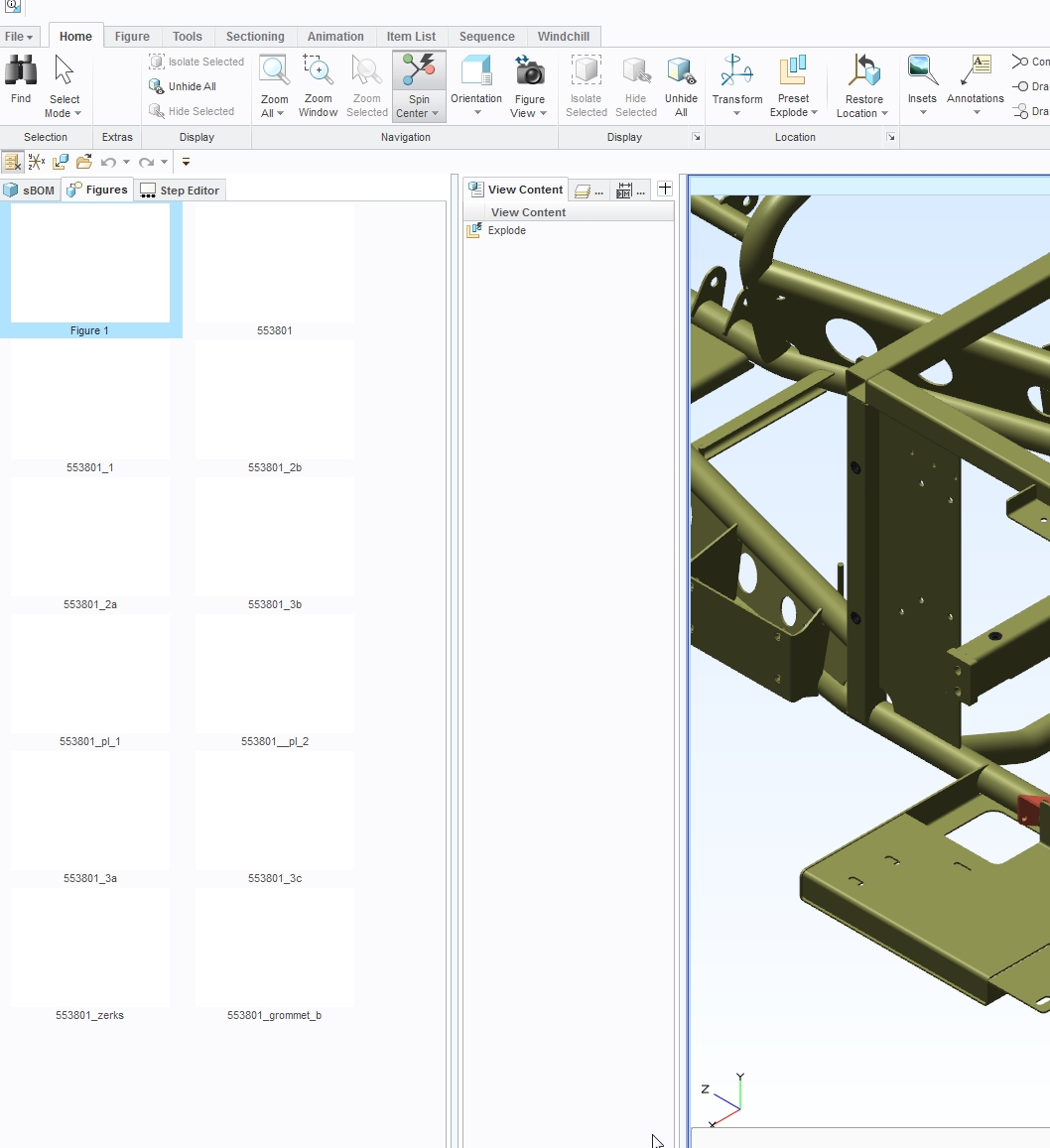
2016-12-09 09_39_52-553801.c3di - PTC Creo Illustrate.jpg

5 replies

1-Visitor
March 16, 2017

Did you ever get an answer to this issue?   We have a user with the same problem, but in Creo Illustrate 3.0.

So far we have tried the following:

- update video driver

- uninstall Illustrate and re-install

Still not fixed

tmenadue1-VisitorAuthor
1-Visitor
March 24, 2017

We have not found a solution yet either.

tmenadue1-VisitorAuthor
1-Visitor
April 20, 2017

We recently upgraded to Windows 10, and thus re-installed Illustrate 3.1. So far, all of the images are displaying correctly for each user. I'll be monitoring this to make sure if they change their libraries etc, how that might affect the display. I know that upgrading may not be an option for others, but it seems to have fixed it on our end.

1-Visitor
March 21, 2017

Creo Illustrate 3.1

I have had a similar issue a few times. It happened yesterday again.

I've have the issue in the photo above, and also another where a figure will display an image, but when clicked on, it changes shows another image.

I've experimented to see if I could find what causes it, by creating many images and deleting some, saving and reopening multiple time, but could not recreate it.

Anyone learned what causes it yet?

17-Peridot
March 24, 2017

You can try to delete your user_prefs.xml from your c:\user\(your username)\AppData\Roaming\ptc\Illustrate folder.  I think that will bring them back if I remember correct.  Just not doing that removes any preferences you may have set in illustrate.

1-Visitor
March 24, 2017

Thanks for the suggestion Brian. Unfortunately in the user_prefs.xml, I have some custom colors set, and also some paths to a shared symbols tools library. I may give that a try though if need be. Revising the .xml could be easier than redoing the figures!!!!!!

10-Marble
March 31, 2017

I have the same issue with 3.1 M010 build 27 EN. Strange

24-Ruby III
April 4, 2017

Please openi a new Case for this issue: https://support.ptc.com/appserver/cs/case/case_logger.jsp

1-Visitor
April 4, 2017
24-Ruby III
April 5, 2017

Access is denied to me.

Pic_1.png