14-Alexandrite
February 4, 2025
Question

Custom Table Generated Cells not showing

  • February 4, 2025
  • 1 reply
  • 539 views

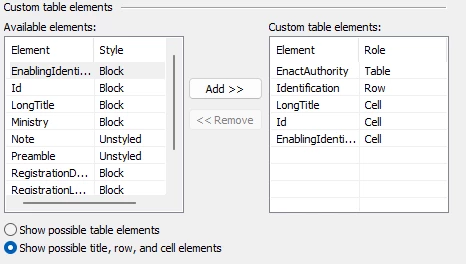
I was able to display my element as a Custom Table by defining Table, Row and Cells  using Arbortext Styler. 
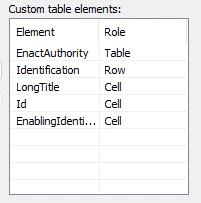
Screenshot 2025-02-04 083853.pngScreenshot 2025-02-04 083843.pngScreenshot 2025-02-03 155737.png

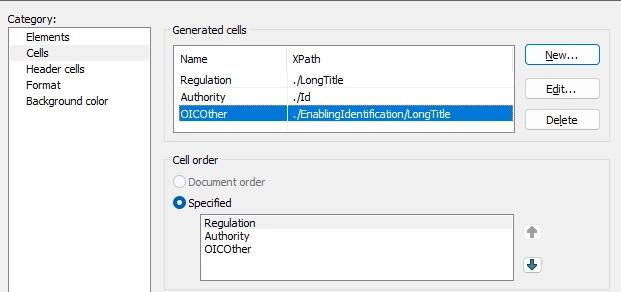
But since I now need to alter the content of the cells, I tried defining Generated Cells using XPath but I never was able to make the content to show.  Here is the configuration I have : 
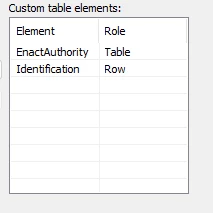
Screenshot 2025-02-04 084419.pngScreenshot 2025-02-04 084410.png

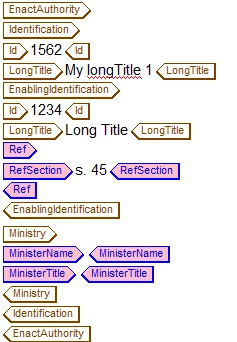
The elements themselves : 

Screenshot 2025-02-04 084511.png

Can you explain why I am never able using XPath to generate content cells, this is very crucial for me to being able to do such. Thanks

1 reply

15-Moonstone
February 14, 2025

Hello,

I believe this question may have been answered in your post related to Generate a Dynamic table with Arbortext styler

If you now have the answer could you please note this as 'Solution'

This will enable other customers with the same question to know there is an available solution and where they can find the details.


I think you have a problem with your XPath expressions. When you ask for "/LongTitle", the slash at the beginning indicates you want it to look for that element at the root of the document, not in the current context. If you want to get the LongTitle element as a child of the current element (the Identification element if I'm reading the original post correctly), you should use "./LongTitle" (note the dot before the slash), or simply "LongTitle". So, try rewriting your Regulation expression like this:


concat(string(LongTitle), ' ', string(Id))