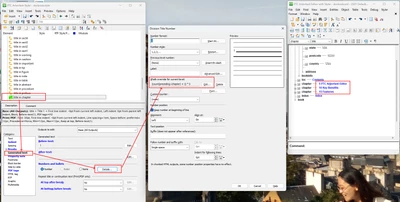
Division Level Numbering
Hello!
I am attempting to modify numbering behaviour for a division level 2 element. My customer has a requirement for this element (applied to sect1 in the Docbook DTD) to start at 00, then increment by five for each new sect1. So, 00, 05, 10, 15, and so on.
As the only increment available is by one, I have been investigating the APP Funtion Numbering module in Styler (currently at 8.1.2.1). The relevant section has this code:
if ( argv.countAs != '' ) {
var number = formatting.fish[ template.numberingFish ][ argv.countAs ];
if ( number == '' || number == null ) {
number = startAt;
} else {
number = Number(number) + 1;
}

formatting.fish[ template.numberingFish ][ argv.countAs ] = number.toString();
if ( argv.numberXPath == '' ) {
argv.numberXPath = number;
argv.initialNumber = 0;
}
}
If I change the line 'number = Number(number) + 1' to 'number = Number(number) + 5', the sect1s increment by 5, but so does everything else with a Division style.
I need to test for which division level and apply the increment of 5 to level 2, but for the life of me cannot work out how to do this, nor can I find a reference that will point me in the right direction. Does anyone know either how to do this, or be able to tell me where this documentation may exist?
Many thanks in advance!
John Laidlaw