1-Visitor
December 12, 2013
Solved

Footnote content issue

  • December 12, 2013
  • 1 reply
  • 1590 views

Hello every one,

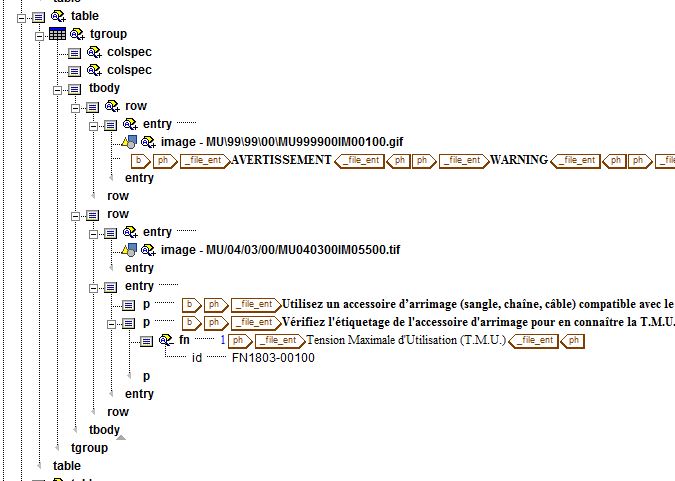
Until today I did not have to use footnotes in my documentation and I have an issue. I used the <fn> tag to create my footnote and inserted the content as below with an ID. But in my PDF I do not have a footnote at the bottom of the page, I only get the small 1 beside the text.

Does anybody have a clue about what I did wrong? I am trying to find the way to insert the footnote automatically in the footer, but I can not find it.

Thanks,
Capture+fn.JPG

Best answer by bfriesen

Open help center and check out Creating and modifying a Hybrid model Footnote. This is where PTC support told me to check, when we had issues with our footnotes. Might be missing something in your style sheet.

Bryon

1 reply

bfriesen18-OpalAnswer
18-Opal
December 12, 2013

Open help center and check out Creating and modifying a Hybrid model Footnote. This is where PTC support told me to check, when we had issues with our footnotes. Might be missing something in your style sheet.

Bryon

ctant1-VisitorAuthor
1-Visitor
December 12, 2013

I just tried to create the full document PDF while I was checking at the help center and in the full document the footnote appears...

Apparently it did not show the footnote when I was generating the topic only or when I used Overview. I will have a look at the help center to see if I can improve it but it seems to work.

Thank you for your quick answer!