
5-Regular Member
December 9, 2020
Question

Header Cells not being Created in Styler Custom Table Setup

  • December 9, 2020
  • 1 reply
  • 1354 views

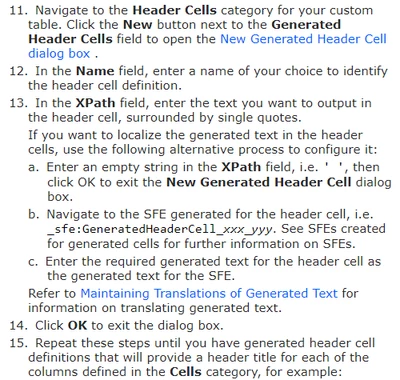
I am trying to add header cells to my custom troubleshooting table.  I am following the tutorial in Styler help:
AndrewPieper_0-1607531526885.png


I add a name in the Name field, and 'Possible Cause' or '' (I tried both methods) in the XPath field.  When I click OK the blue circle spins a bit and the dialog closes, but there are no new cells listed in the Generated header cells field:
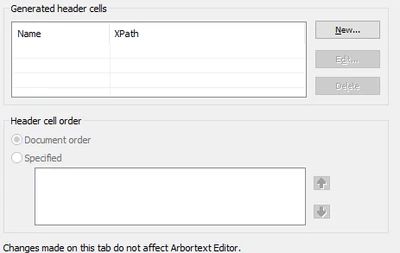
 

AndrewPieper_1-1607531736681.png


I checked the sfes, and nothing was added there either.

Am I doing something wrong, or does this feature not work for some reason?  We are running this on Editor/Styler 7.1. and using DITA 2.0 as our architecture.

1 reply

14-Alexandrite
February 3, 2025

I am wondering if after all these years you found a solution or not.  I'm currently using the Generated Cells and just getting no content showing at all.

15-Moonstone
February 14, 2025

Hello,

I believe this question may have been answered in your post related to Generate a Dynamic table with Arbortext styler

If you now have the answer could you please note this as 'Solution'

This will enable other customers with the same question to know there is an available solution and where they can find the details.


I think you have a problem with your XPath expressions. When you ask for "/LongTitle", the slash at the beginning indicates you want it to look for that element at the root of the document, not in the current context. If you want to get the LongTitle element as a child of the current element (the Identification element if I'm reading the original post correctly), you should use "./LongTitle" (note the dot before the slash), or simply "LongTitle". So, try rewriting your Regulation expression like this:


concat(string(LongTitle), ' ', string(Id))