
10-Marble
January 13, 2025
Solved

HotKeys - IsoDraw

  • January 13, 2025
  • 1 reply
  • 1110 views

Hello, i have searched this forum and found the "HotKeys" commands for ISO.

1. why is this not included in online HELP?
2. there is no TRIM / BREAK command in the HELP manual 
3. we've watched the PTC vid on youtube  (9:47),  and it does not show the guy click on F5 or F6?
4. when click on F5 and/or F6 , it would give me an error of, see below. BUG?
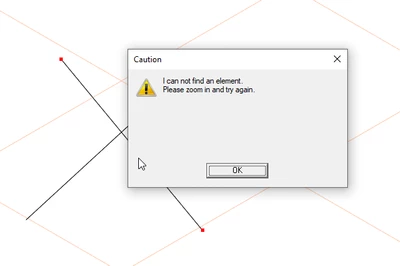
2025-01-13 13_37_32-IsoDraw CADprocess 7.4.png

Best answer by CH_12309333

of course F5 and F6 now working ish.... 

BTW, did anyone's drag icons disappear? tried to window something and it's no longer there. but i can still get the pieces... 

Working now, after revert NVIDIA drivers

1 reply

CH_1230933310-MarbleAuthorAnswer
10-Marble
January 13, 2025

of course F5 and F6 now working ish.... 

BTW, did anyone's drag icons disappear? tried to window something and it's no longer there. but i can still get the pieces... 

Working now, after revert NVIDIA drivers

10-Marble
January 13, 2025

Here is the video of ISO not highlighting or dragging


Working now, after revert NVIDIA drivers