

How to manually move between landscape and portrait pages?
Hi all!
I need to (as an author) set orientation of page manually depending on element.
It is required so that I can have large images/tables on Landscape pages,
I have created two page sets. One for Portrait and other for Landscape.
I am currently using outputclass=landscape or Portrait to start new pages on elements like concept and Task.

Now this works but in order to add these conditions to these elements, I have converted the elements from Unstyled (default) to Division 2-4. This causes an issue in my header which is supposed to display only header level 1 or division 2 using Division Reference.
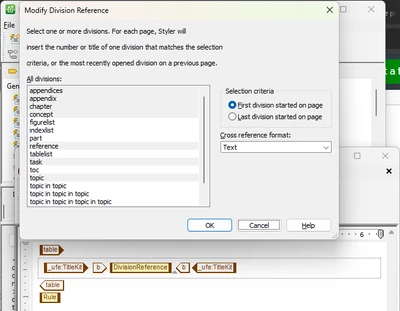
However, it displays the first task/concept element irrespective of the division level. Note that this issue only occurs for the unstyled elements that are now Division style.
Either Concept/Task is not being converted/recognized correctly,
or I converted them incorrectly or the system is broken.
Any suggestions?
How do you achieve this?