

May 14, 2016
Solved

Is it possible to customize DITA views in Arbortext Editor (6.1) to have simultaneously bookmap structure and topics content ?

  • May 14, 2016
  • 1 reply
  • 2064 views

Currently, a DITA Map is basically shown like this, on the left: dita bookmap structure and on the right: the content (but only dita bookmap content and a link for topic).
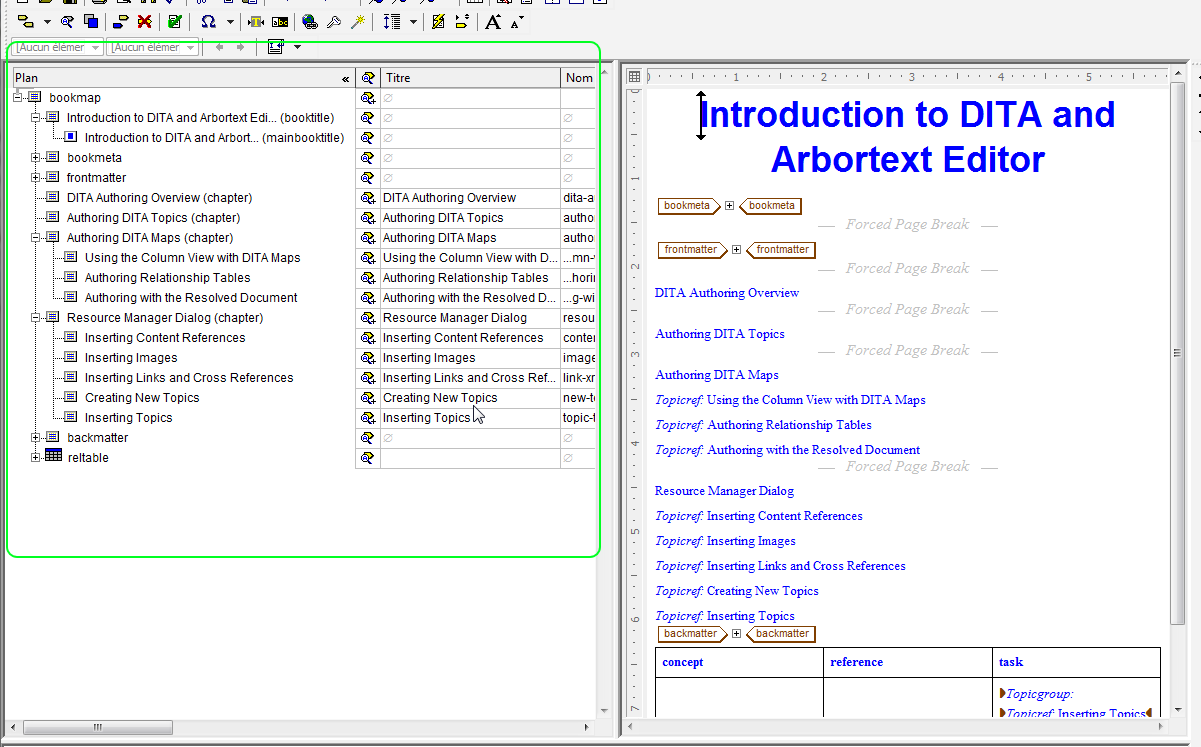
Sans titre1.png

With the resolved view for edition, we can have the content of topics, but we loose the dita bookmap hierarchical structure (and its content):
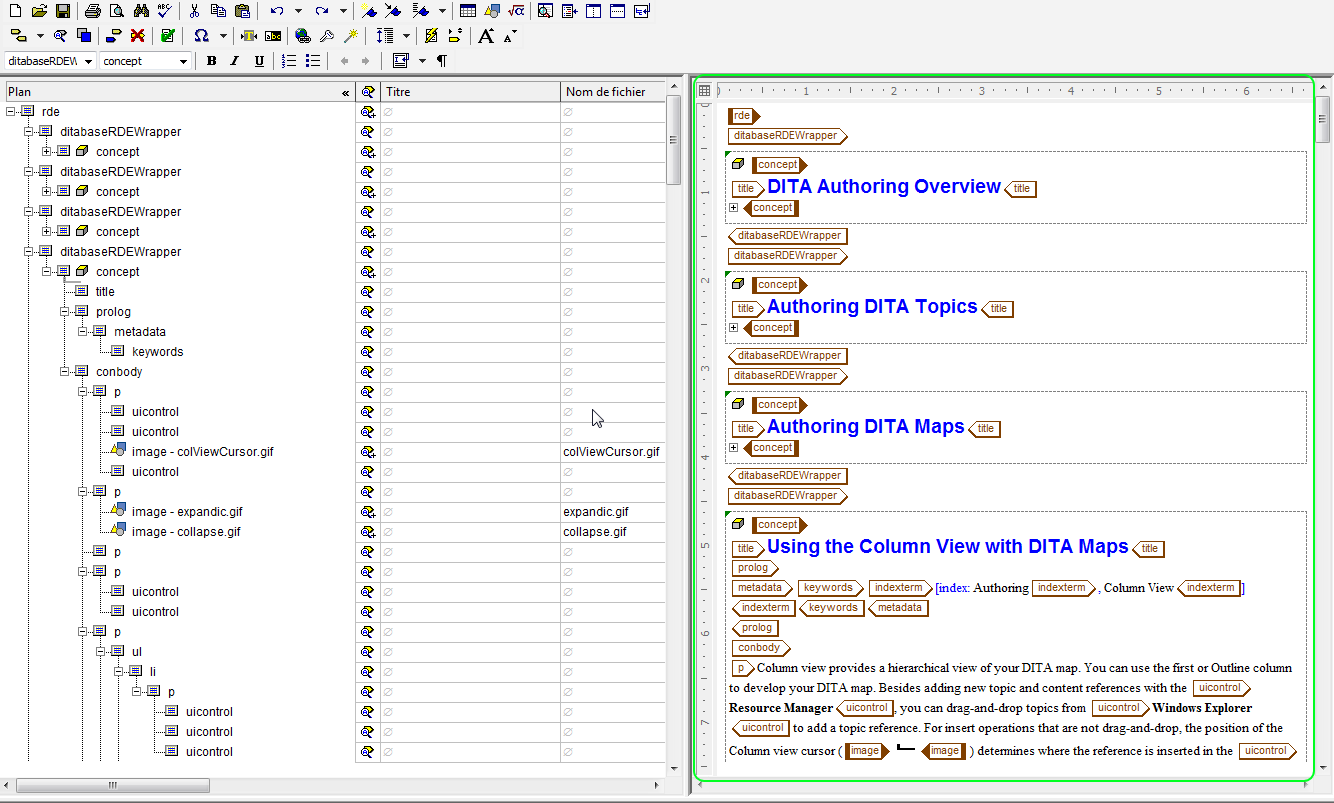
Sans titre2.png

I would like to have in the same view (green blocks in the preceding illustrations), the dita bookmap structure on the left and the dita topic content resolved (for editing) on the right.  Is that possible () ?

Best answer by TimPhelps

If you place your cursor in the left hand pane, the you can use ctrl+shift+1, ctrl+shift+2, etc. to display the level of hierarchy that you would like.

However, there is not a method for seeing hierarchy of the unflattened document with the flattened document.

1 reply

12-Amethyst
May 16, 2016

Have you tried

  1. Opening Arbortext Editor
  2. Select Edit > Edit Resolved Document > For Editing
  3. If only one window pane displays, then select Window > Left-Right Split
  4. Place the cursor in the left pane
  5. Select View > Column View

Does this give you the desired results?

May 17, 2016

Hi Tim,

Thank you for your answer.

In fact, I would like to keep the structure of the map in the RDE view (not only a flatten view of the topics) :

  • on the left : the nested hierarchical structure of the bookmap with topciref
  • on the right : the content of the topics for editing

Is it possible ?

TimPhelps12-AmethystAnswer
12-Amethyst
May 17, 2016

If you place your cursor in the left hand pane, the you can use ctrl+shift+1, ctrl+shift+2, etc. to display the level of hierarchy that you would like.

However, there is not a method for seeing hierarchy of the unflattened document with the flattened document.