11-Garnet
July 24, 2020
Question

Styler page numbers not incrementing.

  • July 24, 2020
  • 1 reply
  • 1771 views

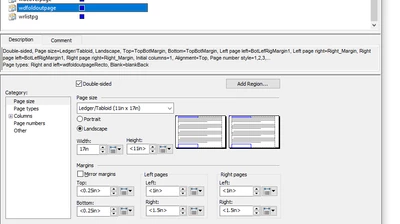
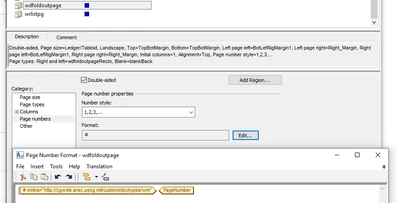
So I was making changes to an existing stylesheet and noticed that a section's page number wasn't increasing any. The page number is set in the page set, But it seems to always be on 1 no matter how many pages there are for it. I find it weird because other sections page numbering is working as intended and as far I can tell These ones are set up in the same fashion.
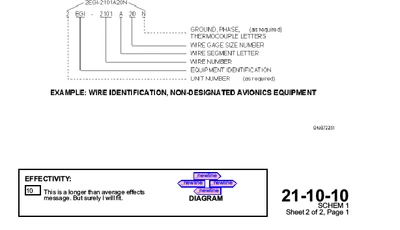
BenjaminCoast_0-1595618836968.pngBenjaminCoast_1-1595618867741.png


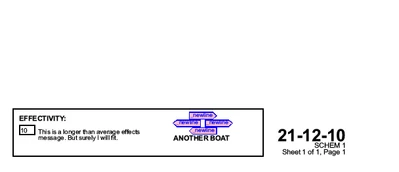
BenjaminCoast_2-1595619055381.pngBenjaminCoast_3-1595619072093.png

These last two are from the same section, notably with the same page number even though they are separate pages.


1 reply

16-Pearl
July 27, 2020

What is special about these sections? Are they foldouts or something unusual that switches the page layout or page size? What formatting engine are you using?

11-Garnet
July 27, 2020

Yes, they are foldout pages. The section starts with a cover sheet that's a portrait, then subsequent figures are displayed with foldout pages, with landscape layouts. We're using Styler.

11-Garnet
July 27, 2020

I found the source of the issue. 


Turns out the generated footer was pulling the page number from a custom counter instead of the actual page number attribute.