
12-Amethyst
February 19, 2026
Question

Codebeamer database migrate - MySql to PGSql : getting error on user profile

  • February 19, 2026
  • 2 replies
  • 32 views

Source - CB 2.0.0.7 MySQL 8.0
Target CB 2.0.0.7 PGSQL 16.2


  • Source Server - Choose any user on the Source machine and set the profile picture. (user must be local user not AD/SSO)
  • Migrate Database - DOCKER DB TOOL 2.0
  • Target Server- when the Admin user clicks on a specific user, getting error.

Error : 
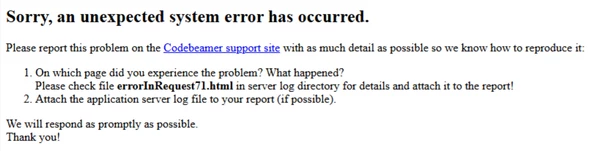
 

Deepak_kankhare_0-1771507233766.png


026-02-19 12:46:56,183 ERROR support.largeobject.PostgresLargeObjectSupport - fetchLargeObject() failed [catalina-exec-31] [220] {Req#=64, Sess#=249..621, serverId=server}
java.sql.SQLException: Not a wrapper of org.postgresql.PGConnection
at org.apache.tomcat.jdbc.pool.ProxyConnection.unwrap(ProxyConnection.java:87) ~[tomcat-jdbc.jar:?]
at org.apache.tomcat.jdbc.pool.ProxyConnection.invoke(ProxyConnection.java:124) ~[tomcat-jdbc.jar:?]
at org.apache.tomcat.jdbc.pool.JdbcInterceptor.invoke(JdbcInterceptor.java:107) ~[tomcat-jdbc.jar:?]


2 replies

18-Opal
March 10, 2026

Hi, 


This looks less like a bad user record and more like a PostgreSQL large object handling issue after migration.


The key part is this line:

fetchLargeObject() failed
Not a wrapper of org.postgresql.PGConnection

That usually means Codebeamer is trying to read the profile picture as a PostgreSQL large object, but the JDBC connection in the target setup cannot unwrap to PGConnection. In practice, this is usually caused by one of these:

  1. Wrong / incompatible PostgreSQL JDBC driver

  2. Tomcat connection pool wrapping issue

  3. Migrated avatar data stored as large object, but target DB/JDBC stack is not handling it correctly


A practical fix path would be:

  • Check the PostgreSQL JDBC driver used by the target Codebeamer server and make sure it is the supported version for CB 2.0.0.7.

  • Verify there is no old MySQL driver or mixed JDBC library left in the target Tomcat lib folder.

  • Rebuild the target DB connection exactly as recommended by Codebeamer for PostgreSQL, especially the datasource and pool settings.

  • As a quick confirmation, remove the affected userโ€™s profile picture record in the target database and test again. If the user page opens after that, the issue is definitely tied to migrated avatar/blob data.

  • If multiple users are affected, run a cleanup for migrated user photo / large object entries and let users upload the pictures again.


Thanks,

Community Manager
March 18, 2026

Hi @Deepak_kankhare,


I wanted to see if you got the help you needed.

If so, please mark the appropriate reply as the Accepted Solution. It will help other members who may have the same question.
Of course, if you have more to share on your issue, please pursue the conversation. 


Thanks,
Anurag