6-Contributor
January 20, 2025
Solved

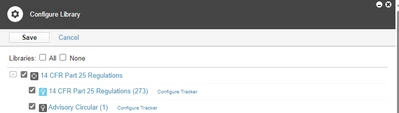
Configure Library Not showing all options selected

  • January 20, 2025
  • 2 replies
  • 700 views

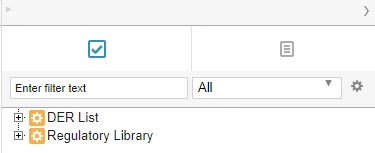
I am having an issue in Codebeamer where not all of the trackers I have selected in the Configure library are showing up as available to Drag-Drop Import in the document view. Is there a certain setting that I am missing that is blocking these trackers from displaying here? I tested making a copy of the same tracker in a new project and it was available for import but not the original one I created.


Please see images below for reference. 14 CFR Part 25 Regulations not showing in Library despite being selected. 
LB_12512364_0-1737398559542.png

LB_12512364_1-1737398567442.png


Best answer by CD_11942951

Hello,
have you checked this article already? You might have similar issues with the tracker tree:
https://www.ptc.com/en/support/article/CS433289 

2 replies

14-Alexandrite
January 21, 2025

Hello, 

I tested and found, that Library shows only those trackers (projects), which contain items.

If you have items in trackers/project, which is not visible in Library, open an incident ticket here: 

https://support.ptc.com/apps/case_logger_viewer/cs/auth/ssl/log


6-Contributor
January 21, 2025

This external Tracker is populated with ~300 items of the type "Requirement" which should be a valid item type available for import. I have opened a support ticket to resolve this.

7-Bedrock
January 21, 2025

Hello,
have you checked this article already? You might have similar issues with the tracker tree:
https://www.ptc.com/en/support/article/CS433289