
7-Bedrock
May 21, 2026
Question

Exporting the text field content as viewable in UI

  • May 21, 2026
  • 2 replies
  • 44 views

Hello,


Issue summary: In current CB v2.2.x, CB exporting the content as it is in Markup type. But in UI is clean to see the content without any markup contents


Issue Details:

  1. Create or Import an item with description as Wiki with some links or bold or italic or strikethough etc, and save it
  2. Now in UI as a user, we can see the content clearly without any markup languages.
  3. But when we export the same item in default template, i could see description exported in markup language.
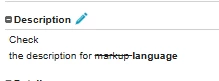
 

Current Resolution: Using groovy, we can export the description content but it is 2nd way.


Suggestion: If Codebeamer exports same as viewable in UI, it will be very useful

2 replies

Community Moderator
June 1, 2026

Hi ​@Thamil_AST,

Thank you for your question. 

Your post appears well documented but has not yet received any response. I am replying to raise awareness. Hopefully, another community member will be able to help.

Also, feel free to add any additional information you think might be relevant. It sometimes helps to have screenshots to better understand what you are trying to do. 


Regards,

Anurag 

BKampling_SAI
13-Aquamarine
June 10, 2026

Are you using the Simple Excel Export or the Round-Trip Excel Export?

7-Bedrock
June 11, 2026

I am doing simple export. To avoid special characters, i am using template to get the content same as in Codebeamer UI

BKampling_SAI
13-Aquamarine
June 11, 2026

That is exactly the approach you should be taking. Some folks want the raw markup data, so filtering that out by default would eliminate that option.
