

1-Visitor
January 28, 2015
Question

3D Text size in Creo2

  • January 28, 2015
  • 1 reply
  • 1797 views

Hi all,

I've started dabbling with 3D annotations & notes with a view to going paperless in the near future. One thing I'm wrestling with is the varying style, notes are different to dimensions, but also neither are to any pre-defined text size or font etc. Is there anyway that you can set the default text style so that all 3D annotations appear the same when created?

Thanks,

Ian
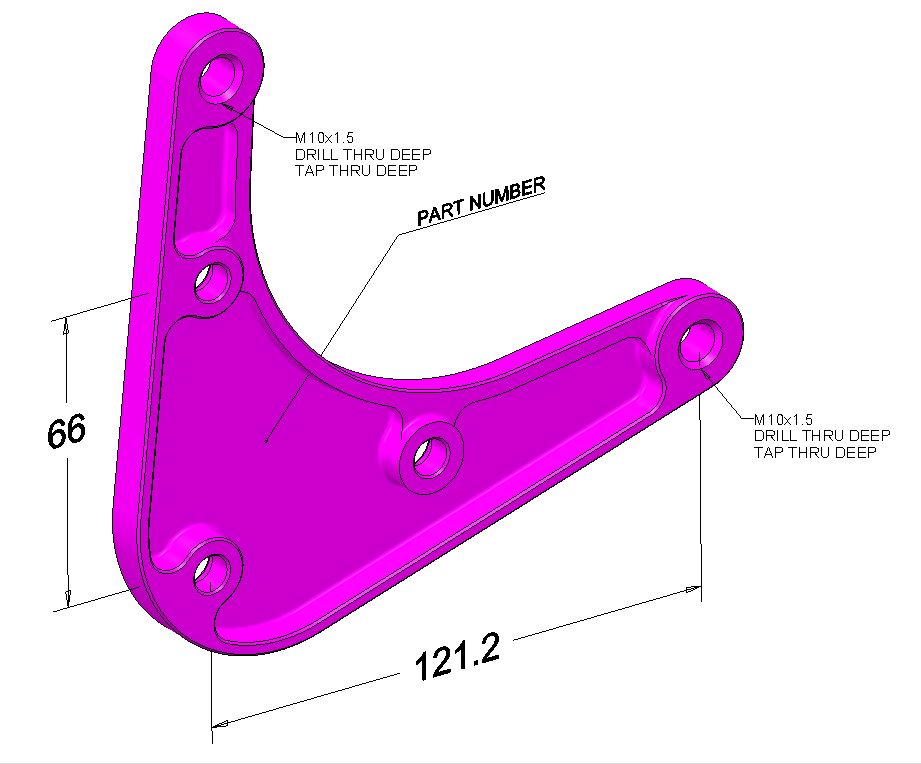
TEMP.JPG

    1 reply

    1-Visitor
    January 28, 2015

    In Creo 2, models now have "drawing properties" as well as model properties. Go to File > Prepare > Model Properties > Detail Options. The dialog that opens is similar to drawing detail options; I think the property you need is text_height.

    ptc-500331-VisitorAuthor
    1-Visitor
    January 28, 2015

    That's great, thank you. Yes text height in here was set to 'CALCULATED'

    I've also just noticed that you can point you config to a 'Drawing_setup_file' using:

    MODEL_DETAIL_OPTIONS_FILE

    Not tried this yet, but hopefully it works.

    Thanks again.