

1-Visitor
September 11, 2014
Question

Creo 2.0: Restyle filling open gap

  • September 11, 2014
  • 3 replies
  • 1180 views

I work on STL data with Restyle environment
1.png

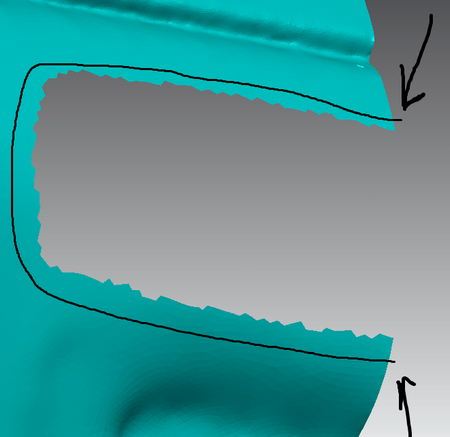
I want to close an open gap(below). Fill hole tool does not work because it requires closed loop(so far I imagine this could be a cause)
2.png

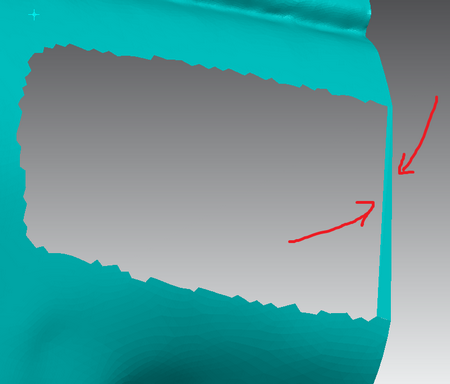
I thought I can add faces but, created ones do not maintain the shape/curvature of adjacent faces

How do you solve such issues?

    3 replies

    Patriot_1776
    22-Sapphire II
    September 11, 2014

    Why would you ever try and work on an STL file? Is that all you have? I got nuthin'.....

    17-Peridot
    September 11, 2014

    This is because this is faceted geometry. It has no curvature information to follow.

    This looks like a 3D scan. There are a few scan tools but I suspect they belong to an optional package.

    The best you can do is approximate a patch but it won't merge.

    1-Visitor
    September 22, 2014

    thank you guys

    as I wrote before I have REX license for testing. At first glance, whole environment does not look friendly, and it works really slow.