

1-Visitor
May 23, 2014
Question

Creo 2 - M110

  • May 23, 2014
  • 2 replies
  • 3446 views

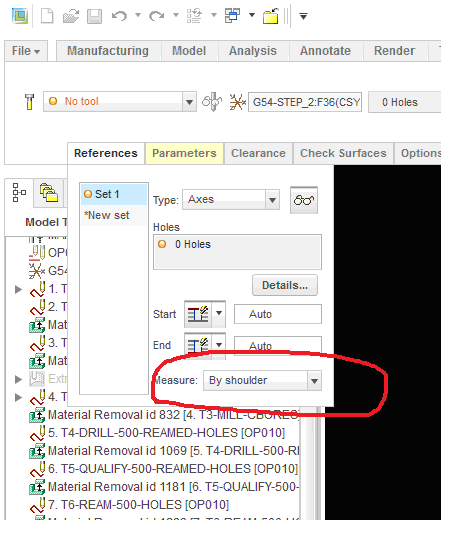
Just installed M110 and found this.....
Measure.png

I don't believe it was there in the previous versions. I've been thinking about requesting this, so I'm glad they did it. I just wish the would throw a check box on that dropdown for "use breakout distance". Why dig thru pages for such a common option.

Not really a question just figured I would share incase you were debating on installing M110 with CREO 3 so close. (Maybe)

    2 replies

    13-Aquamarine
    May 28, 2014

    The feature has been there for a while, but under the Details.../Depth tab

    1-Visitor
    May 28, 2014

    Jason / Matt,

    It's been there a while under details/ depth, but in M110 they moved it to the front reference page on most of the drill cycles as Jason was pointing out. They missed moving it on the face drill cycle though. I think it's a work in progress getting ready for Creo 3.0

    Steve

    1-Visitor
    May 28, 2014

    Like Steve said, I knew it was there but the fact that it took extra clicks to get there is what made this change useful for me since I use it quite often. Heres to hoping that the "use breakout distance" gets moved to this page as well.

    Has anyone heard of any good enhancements in CREO 3 yet? I saw a powerpoint a couple of months ago that had some good stuff in it. Roughing sequence optimization (less air cutting), drill holes without axes, tapered threadmilling enhancements, and ribbon UI for Volume Milling.

    1-Visitor
    May 29, 2014

    Jason,

    I am Looking forward to being able to drill holes without axes. Engineering here is always making assembly cuts and not putting the axes through all the cuts. Big source of frustration for me!!