
1-Visitor
June 11, 2014
Solved

Creo Elements/Pro 5.0 (M160) - Notes insert: Enter in textbox

  • June 11, 2014
  • 2 replies
  • 1798 views

Hello,

When I want to insert Notes with multi lines and I press enter key, the notes box closes. How can I enter multiply lines?
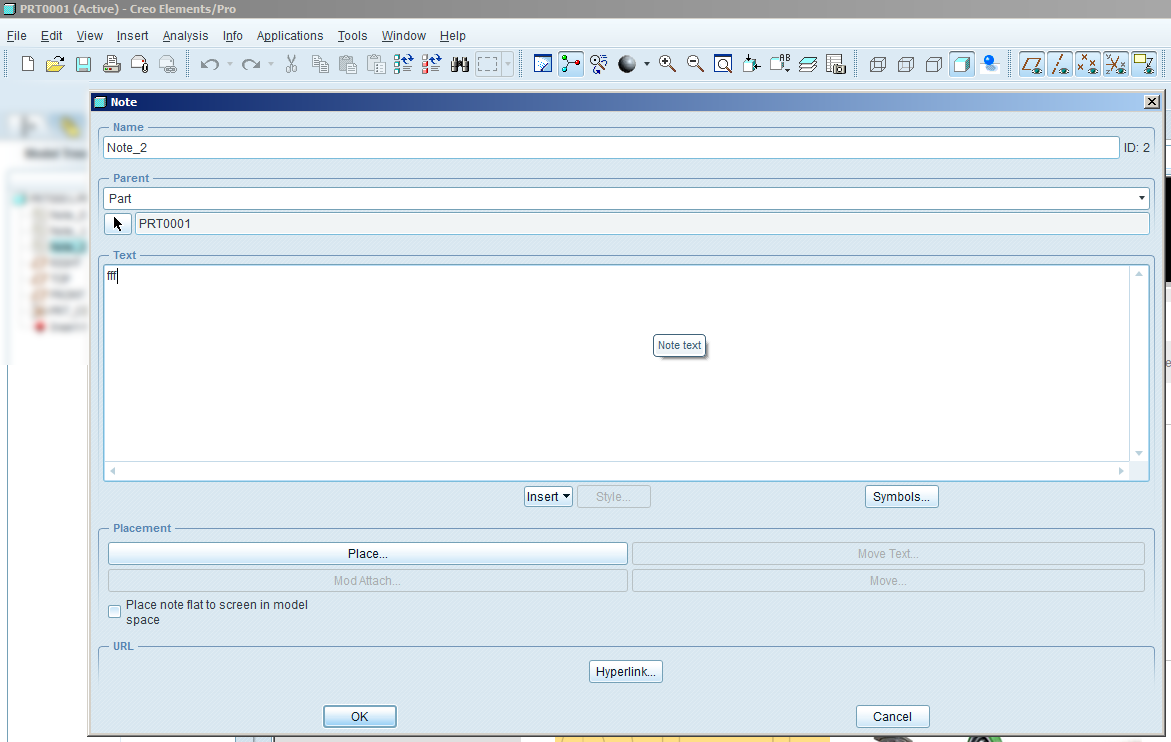
creo+notes.png

Thanks!

    Best answer by bdegeling

    Please create a new work folder which has write & read right and then:

    • Right click on Creo Elements/Pro or Creo shortcut icon and select pop-up menu option "Properties".
    • Switch to "Shortcut" tab in the "Properties" window.
    • Specify full absolute path to the required directory with in the "Start in" field.
    • Hit Apply and then Ok.

    2 replies

    22-Sapphire I
    June 11, 2014

    Bart,

    Do you have any application on your machine by the name as "Digital Guardian Agent"?

    bdegeling1-VisitorAuthor
    1-Visitor
    June 11, 2014

    Hello Mahesh,

    No such application present.

    Could it be related to an update of Microsoft? (One user has uninstalled KB2931365 and he was able to enter multiply lines)

    22-Sapphire I
    June 11, 2014

    Yes, it is possible due to Microsoft patch. In the past i have seen this issue due to external application "Digital Guardian Agent". You may try uninstalling patch KB2931365.

    bdegeling1-VisitorAuthorAnswer
    1-Visitor
    June 27, 2014

    Please create a new work folder which has write & read right and then:

    • Right click on Creo Elements/Pro or Creo shortcut icon and select pop-up menu option "Properties".
    • Switch to "Shortcut" tab in the "Properties" window.
    • Specify full absolute path to the required directory with in the "Start in" field.
    • Hit Apply and then Ok.
