10-Marble
July 7, 2016
Question

enabling model tree seperate dialog box

  • July 7, 2016
  • 4 replies
  • 4477 views

can anyone let me how to enable the model tree seperate dialog box creo 2.0 ,earlier i use to get this ,now it is disabled.

it  willbe in view-->show-->model tree
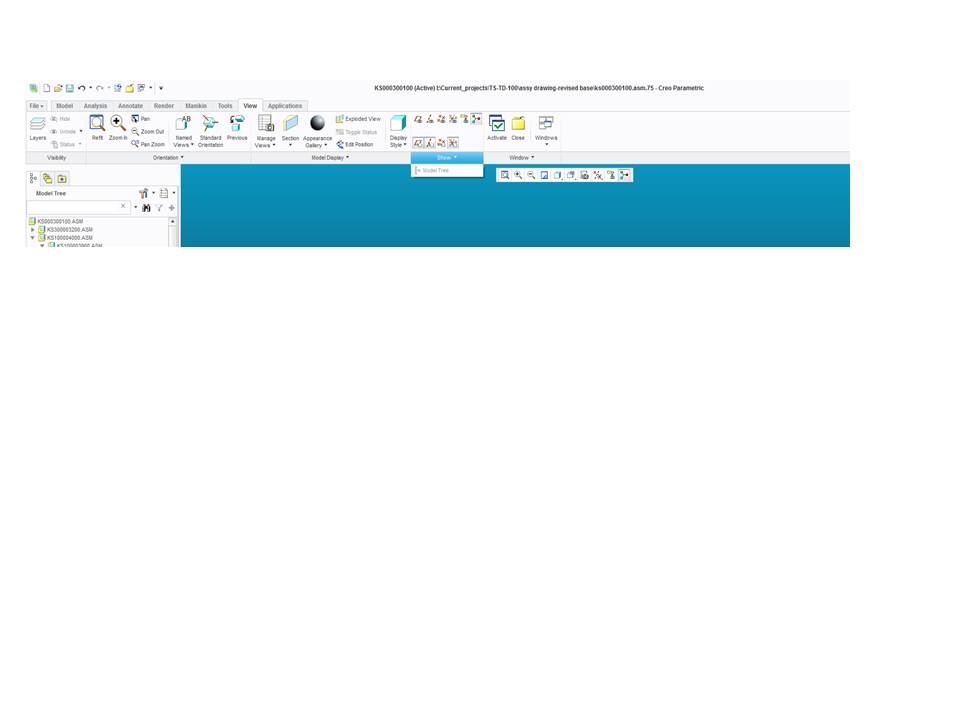
model tree issue.jpg

    4 replies

    14-Alexandrite
    July 7, 2016

    There is a way, but it will close as soon as you make a new feature. Right click the part and click View Changes, and undock Model Tree appears.

    mrd10-MarbleAuthor
    10-Marble
    July 7, 2016

    thanks for your reply but i m more concern about how to activate the view-->show-->model tree

    14-Alexandrite
    July 7, 2016

    I misunderstood your question, use this button then.

    23-Emerald III
    July 7, 2016

    maybe Model Tree Won't go back into browser

    Silver

    it's very confusing. hopefully I recall this correctly, add these 2 configs..

    www_tree_location=out

    enable_tree_indep =yes

    restart Creo and goto windows settings and then you can set which side, etc

    I'm not sure why I couldn't get it back in, I've done it from time to time if I need a lot of columns. i wouldn't recommend it.


    i would recommend floating the layer tree with.......

    floating_layer_tree=yes

    i've never had a problem reverting that, it requires a restart too.

    mrd10-MarbleAuthor
    10-Marble
    July 8, 2016

    hi

    i have added  floating_layer_tree=yes in my config.pro,but still it's not working out

    23-Emerald III
    July 8, 2016

    Set these 3 options in the config.pro

    www_tree_location out

    enable_tree_indep yes

    floating_layer_tree yes

    save your config.pro

    in the file options windows settings, click the box DISPLAY AS SEPARATE WINDOW

    make sure you save those settings also

    close and restart creo

    1-Visitor
    July 11, 2016

    I have a treetool txt file in my start in directory that seems to affect my modeltree window on my secondary display. I thought I created notes on how to set this up but I can't find them today.
