14-Alexandrite
August 26, 2015
Solved

Extrude & Arc

  • August 26, 2015
  • 4 replies
  • 3019 views

Hello,

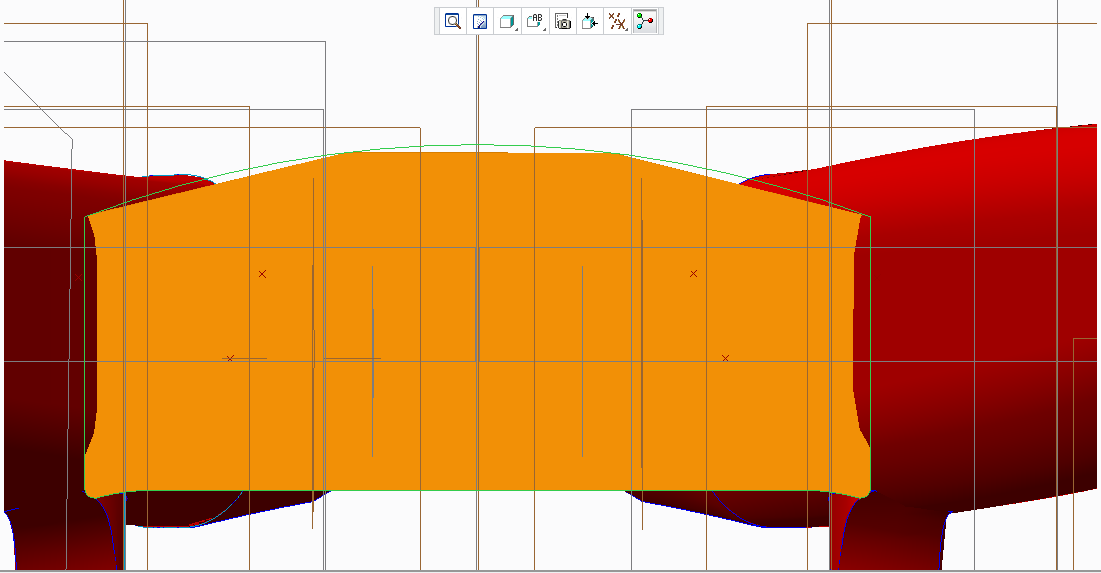
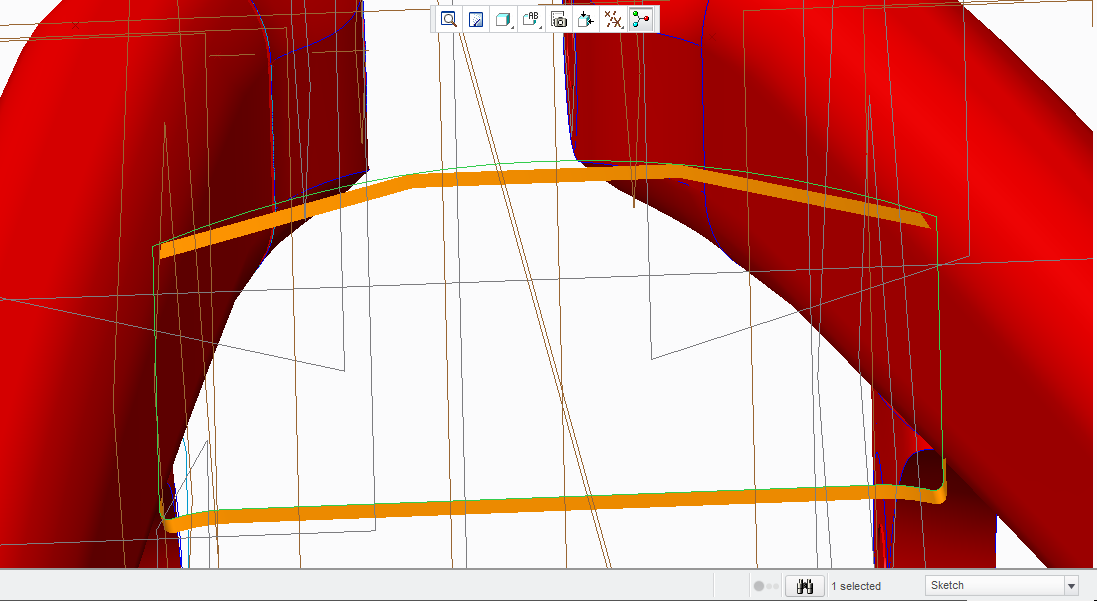
I tried to extrude this arc, what happens is that it becomes in a really poor arc with no smoothness at all.

What should I do?

Thanks!
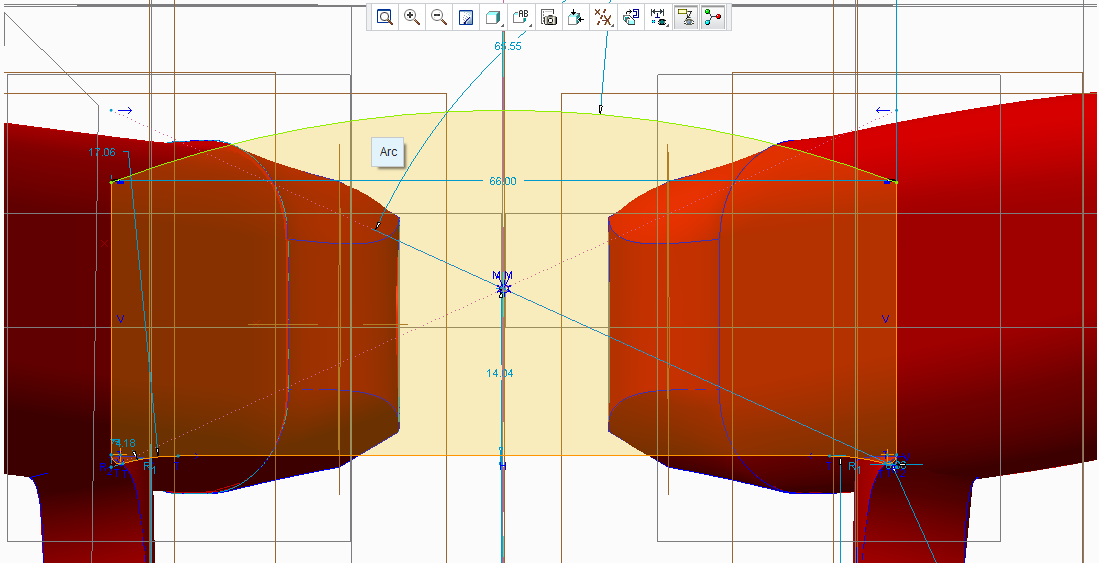
1.png2.png3.png

    Best answer by MartinHanak

    Ruben,

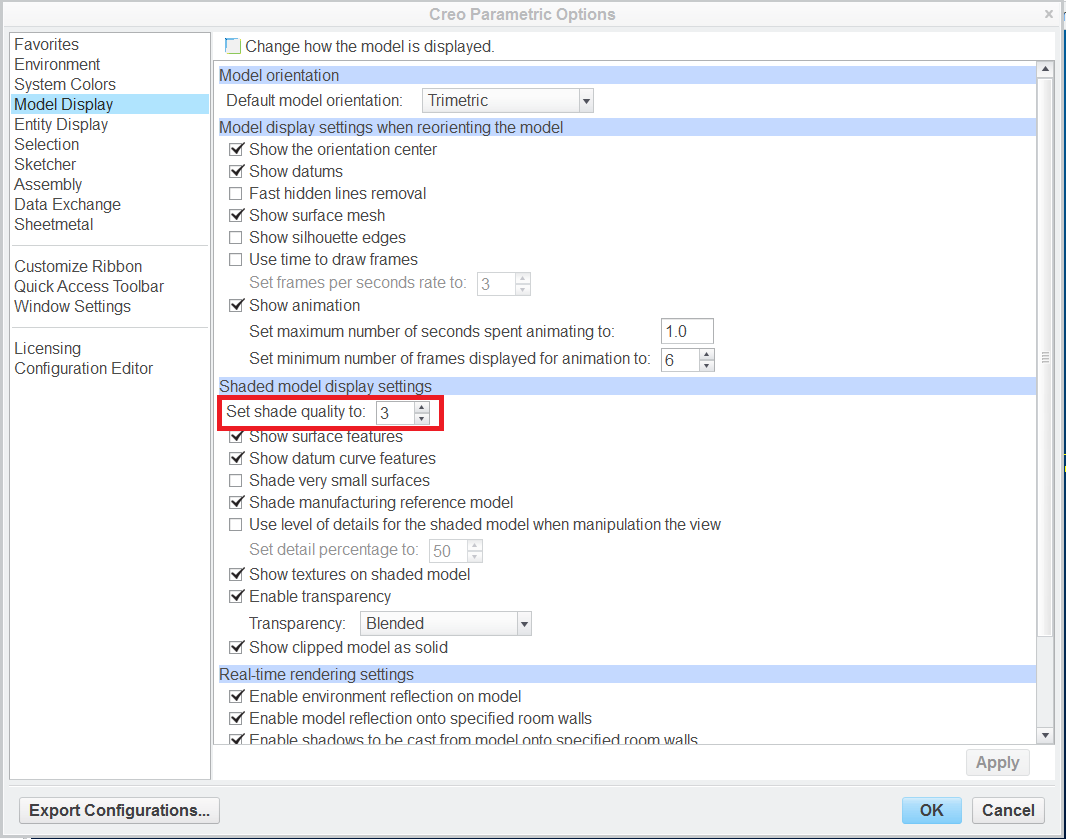
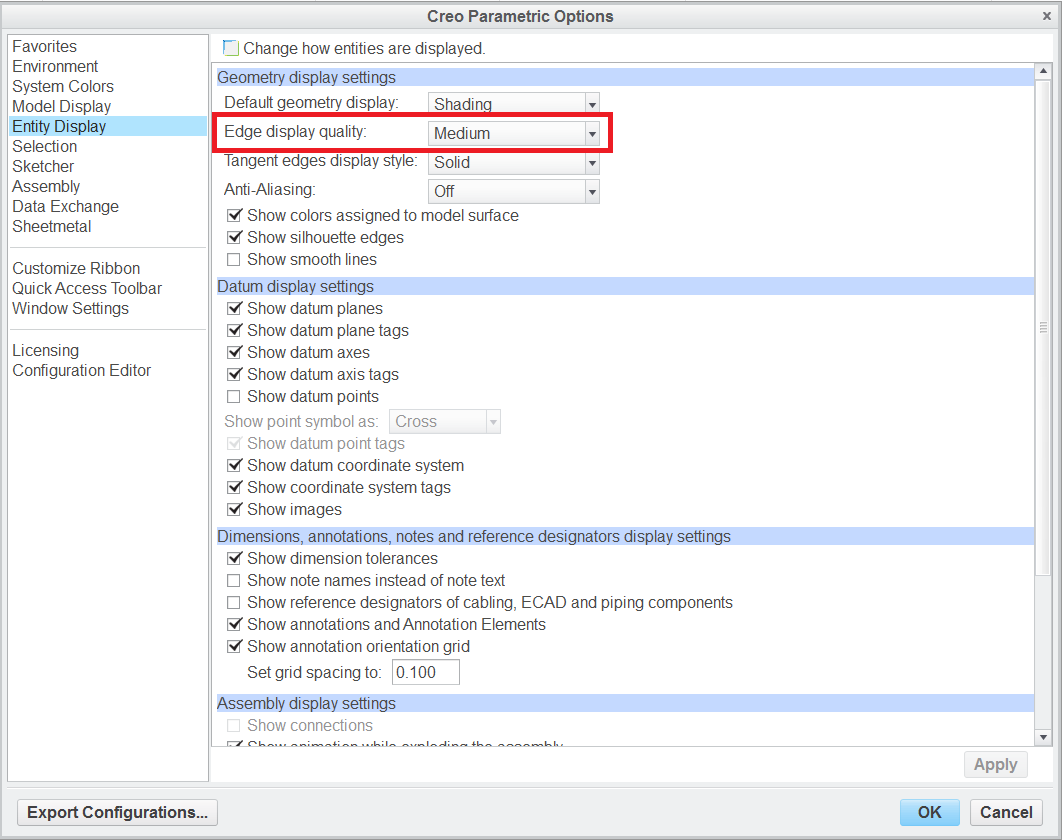
    click File > Options (if you use Creo Parametric 2.0) and experiment with below show settings.

    options1.png

    options2.png

    Martin Hanak

    4 replies

    1-Visitor
    August 26, 2015

    I think you should change the accuracy in the "model properties"

    14-Alexandrite
    September 9, 2015

    Alex, how should I do that? I changed but nothing happens, the arc remains with the same imperfection.

    24-Ruby III
    August 26, 2015

    Ruben,

    click File > Options (if you use Creo Parametric 2.0) and experiment with below show settings.

    options1.png

    options2.png

    Martin Hanak

    14-Alexandrite
    September 9, 2015

    Martin, I set the edge display quality to very high, even with that the arc is still appearing with little "pixels", I render it with maximum accuracy and that doesn't solve my problem.  I know that this is the correct procedure and probably the correct answer, I'm just wondering if there is another procedure to solve this.  Thanks!

    24-Ruby III
    September 10, 2015

    Ruben,

    you can also test adding the following option at the end of config.pro file temporarily. This way you will turn OPENGL graphics off.

    graphics win32_gdi

    Martin Hanak

    Mahesh_Sharma
    22-Sapphire I
    September 4, 2015

    Ruben,

    Does the information from Martin answer your question? You may mark reply to post as correct answer.

    14-Alexandrite
    September 9, 2015

    Kind of. Tomorrow I will set that as the correct answer if there are no other solutions. 

    12-Amethyst
    September 9, 2015

    You only mention that you set your edge display to "very high"

    Try setting your shade quality to "10" too.

    ron

    14-Alexandrite
    September 12, 2015

    I didn't understand how to add the config.pro file that Martin said. So, this was the result with the edge display set to very_high and the shade display quality set to 50 (highest value possible).

    2.png

    1.png