
1-Visitor
January 25, 2017
Question

Extrude-Cut Text reading right to left

  • January 25, 2017
  • 5 replies
  • 6196 views

Hi


I am using Creo 3.0 as you can see by the attached picture below there is some text (MK2) on the right support bracket. I then saved a mirrored copy for the left bracket however, the text is not correct as I need the text to read right-to-left opposite the original text which reads left to right. 


I have tried a number of ways of mirroring the text with no luck I was wondering if anyone has another options I could try. Thx.


A better way of describing what I am looking for is I would like the text to read the same on both sides of the bracket.
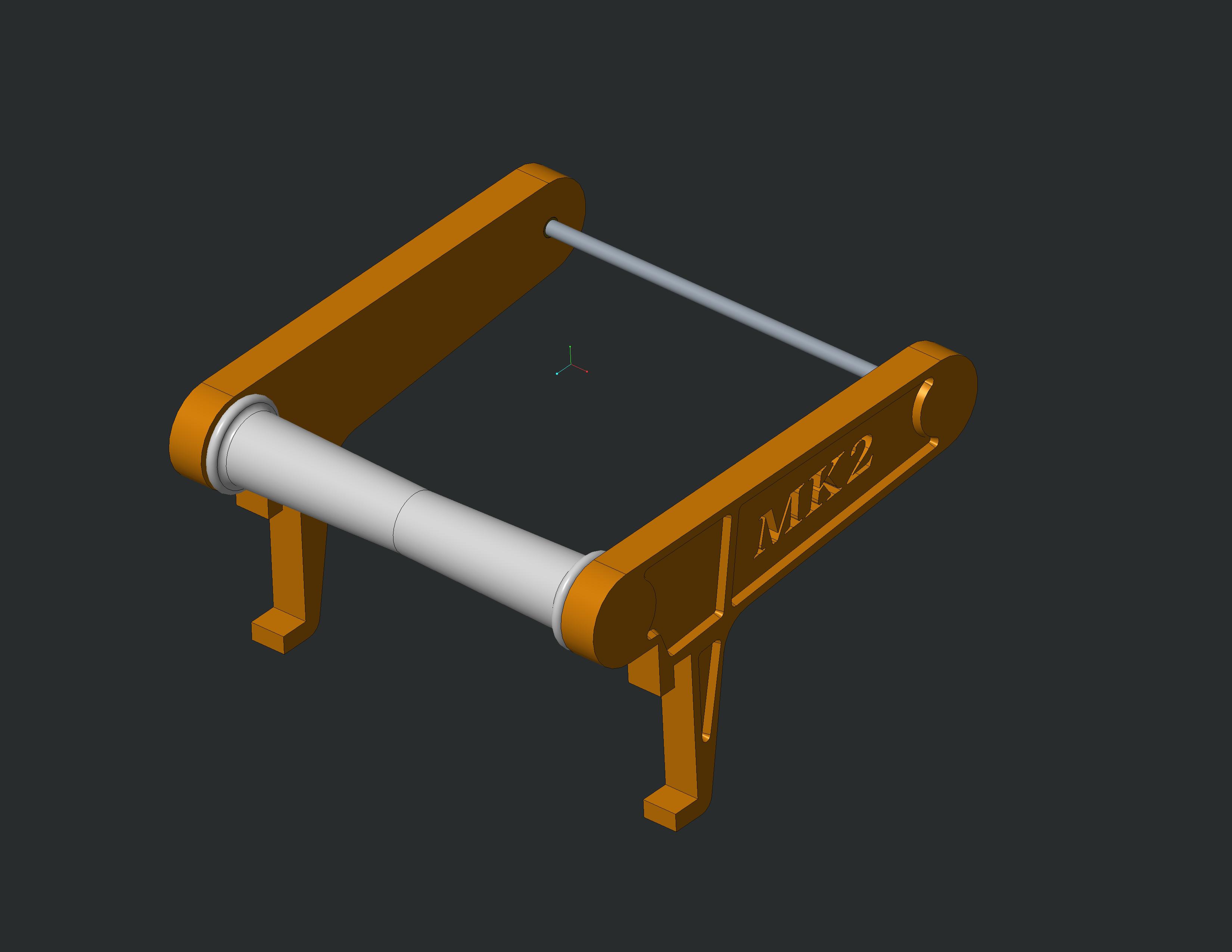
main_assm.jpg

As you can see when I try to add text to the left side the text is not correct.
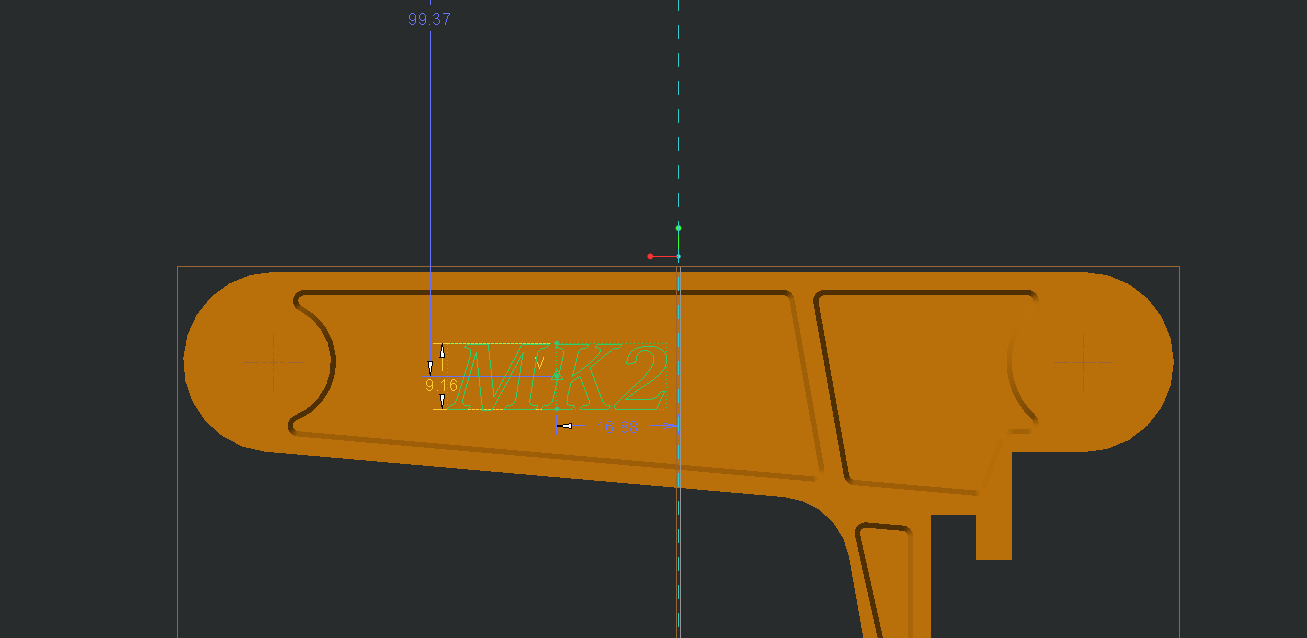
Capture.PNG

    5 replies

    23-Emerald III
    January 25, 2017

    If you mirror the part, the text reads backwards. Is this what you want?

    mweaver-31-VisitorAuthor
    1-Visitor
    January 25, 2017

    The effect I am looking for is for the text to read correclty on both-sides of the brackets and not for it to look back wards.

    23-Emerald III
    January 26, 2017

    Then you need to mirror the part BEFORE adding the text to both sides.

    12-Amethyst
    January 25, 2017

    I presume this is Sketch > Text.  In the dialog for it, there is a control called 'Aspect Ratio', where you can type a number or slide a slider to control the ratio of height to width.  Type a negative number, and the text will be mirrored.

    NB:  This functionality does not work in Creo 4 F000, and is fixed in Creo 4 M010.

    mweaver-31-VisitorAuthor
    1-Visitor
    January 25, 2017

    I entered a negative value and yes it mirrored but the letters were not correct.

    mweaver-31-VisitorAuthor
    1-Visitor
    January 25, 2017

    I am trying to have the text read the same on both the brackets so if you where to look at it on the left or the right it would read the same.

    Picture1.png

    13-Aquamarine
    January 26, 2017

    I'm wondering if you want the text on the left-hand side to lean the other way, to follow the shape of the part - a sort of a 'negative italic' effect.

    If so, that would be part of the font definition and probably not something you could do easily within the modelling tools.

    I was going to create a quick representation by modifying your screenshot, but there's no 'skew' tool in my editor of choice (Paint.NET) and I can't be bothered to download a plug-in just for this.

    Edit: a Google Image search for 'reverse italic' shows what I mean...

    1-Visitor
    January 25, 2017

    You say that mirroring the part gives you the incorrect result, which is strange considering what you first say it should do (read MK2 from right to left)

    Then you show in your 2nd image a sketch of the opposite case, which you say is also wrong, even though it does what you say is the better way of describing what you're looking for...

    To me mirror parts are usually confusing, and my mind is spinning from your problem description.

    Perhaps you want the letters to be (reading from left to right, looking at the "embossed" side of the part):

      - for right bracket "MK2"

      - for the left bracket "2KM"  ?

    Please submit an image of the desired result for the left hand part.

    mweaver-31-VisitorAuthor
    1-Visitor
    January 29, 2017

    Hi all


    After many attempts I have realized what I was originally hoping for is not possible because of the ‘K’ so I am sorry for wasting your time however the design is now complete so thank you for your help it was appreciated.

    post.png