

12-Amethyst
April 21, 2014
Solved

Features randomly changing color in Creo 2.0

  • April 21, 2014
  • 1 reply
  • 1645 views

One of the users at work just recently experienced a strange occurance with a model he has been working on over the past couple of days. He opened the model he was working on, and noticed that certain features have changed color. See below:
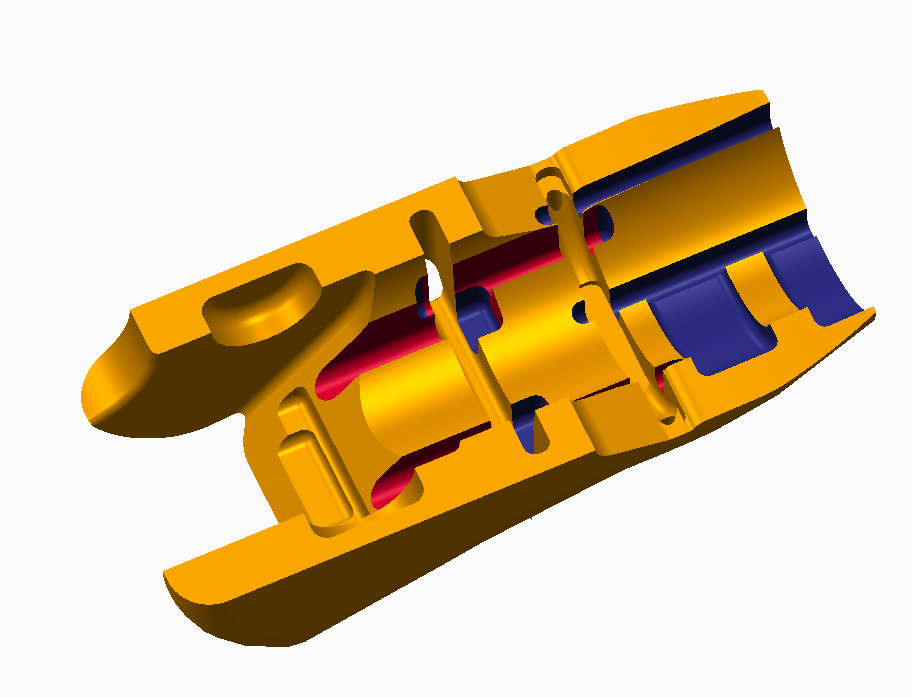
image_98.png

I've personally never seen anything like it. Any idea as to what could've caused this? We're running Creo 2.0 M070.

    Best answer by TomD.inPDX

    Nothing "remove all appearance changes" won't fix. I suspect it is acting on intent surfaces and it got confused.

    1 reply

    17-Peridot
    April 22, 2014

    Nothing "remove all appearance changes" won't fix. I suspect it is acting on intent surfaces and it got confused.

    12-Amethyst
    April 22, 2014

    Thanks, that did the trick!