1-Visitor
December 4, 2012
Solved

How can I read in an Excel spread sheet into CreoPro5

  • December 4, 2012
  • 1 reply
  • 3189 views

How can I read an Excel spread sheet with x,y,z coordinates into CreoPro5 to create a section?

    Best answer by mrubino

    Michael,

    The file was a big help!

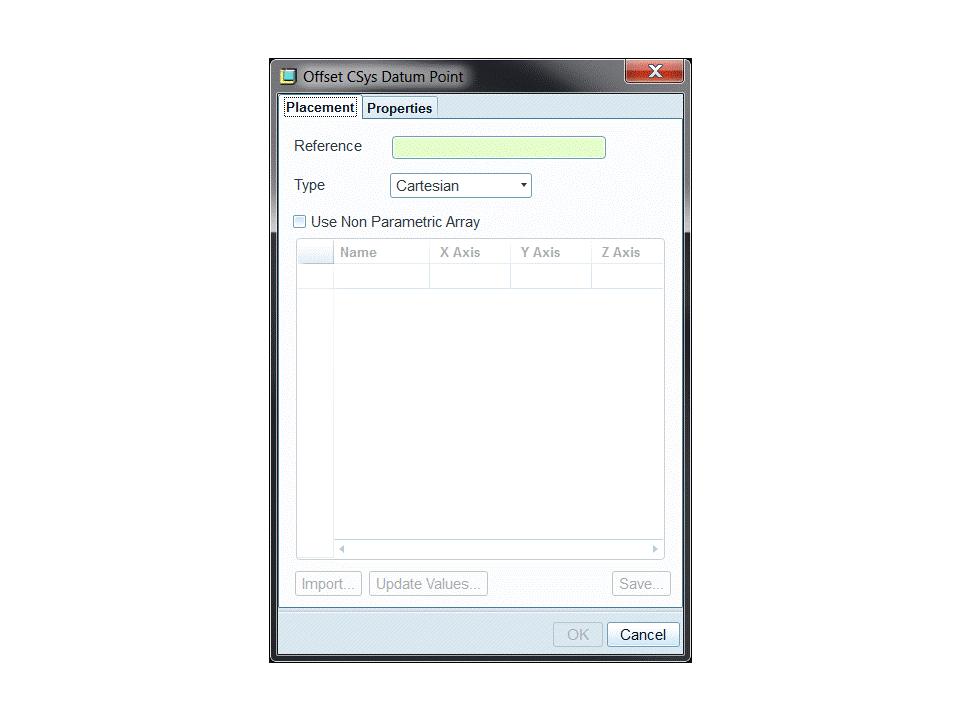
    When I open a new part file and select "Offset CSys Datum points" the import button is grayed out. What am I missing?

    Thanks again!

    MikePresentation1.gif
    1 reply

    1-Visitor
    December 5, 2012

    Make 4 columns Nr. X Y Z and type in the data.

    Save as txt file with tabstop.

    Open the txt and replace "," with "."

    Put a blank behind each number

    Save and rename the file to .pts

    This can be read from Pro/e

    Hope this helps

    mrubino1-VisitorAuthor
    1-Visitor
    December 11, 2012

    Hi Michael, Thanks for answering my Excel question.

    Could you also explain how to read this Excel file into Creo?

    Is there any online information about this subject?

    I'm a new Creo user, formerly an I-Deas user.

    I appreciate your time,

    Mike

    1-Visitor
    December 11, 2012

    Hello Mike,

    let see if I can help you.

    In the attachment I put a .pts file that you can see how it is formatted.

    Here a screenshot how to get in Creo (I use Creo Elements/Pro in german)

    1.JPG

    Choose Import and then the .pts file.

    That's it.