1-Visitor
August 30, 2010
Solved

How do I make a line tangent to two circles in a sketch?

  • August 30, 2010
  • 2 replies
  • 11578 views

Hello,

When I draw a pair of circles in a sketch and try to connect them with a line, and use "Impose sketch constraints on the section," then choose "Make two entitities tangent" and select a circle and the line, the line becomes tangent to the first circle. However, when I go to repeat this on the second circle, a "resolve sketch" dialog box pops up listing 2 conflicting constraints:

1) Point on entity (line to first circle)

2) Point on entity (line to second circle)

I don't see why I cannot make the line tangent to the second circle?

Thanks,

Mike
    Best answer by ptc-2580255

    Hi,

    I usually do it in 2 ways.

    1) Use the option in the line tool in the sketcher. There is a button especially for making tangent lines between 2 circles

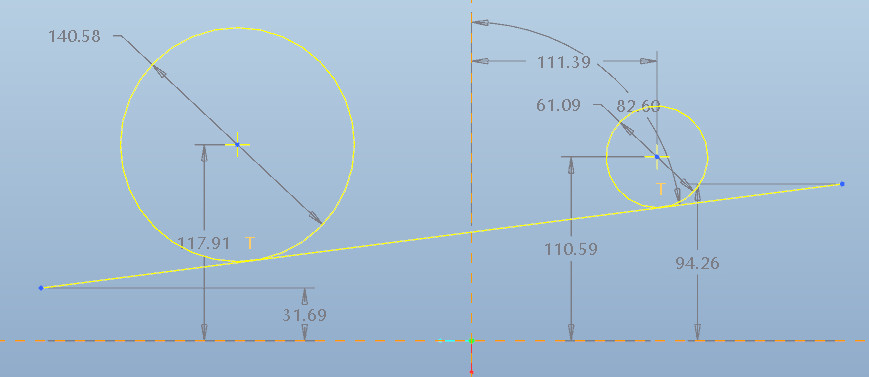
    2) Draw the circles. then draw the line only approximately. Make sure the endpoints of the line extend the diameters. also make sure, there is no other constraint added to the line (horizontal, vertical etc.)

    2010-08-31_092349.jpg

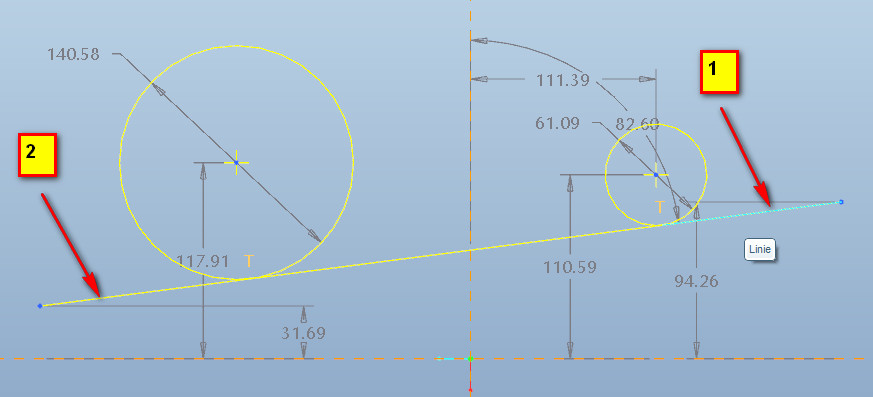
    Now use the tangent tool to line and both circles

    2010-08-31_092458.jpg

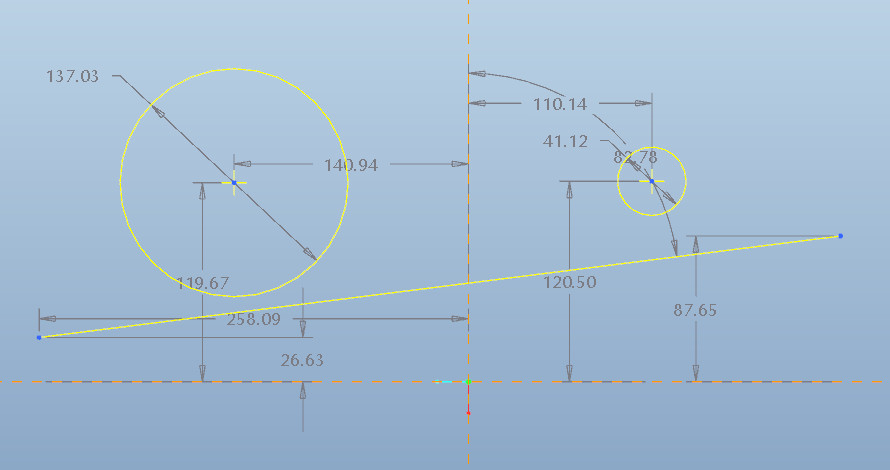
    Then trim the line on both ends

    2010-08-31_092656.jpg

    no problems with constraints anymore.

    Alfred

    2 replies

    1-Visitor
    August 30, 2010

    I created two circles, snapped a line tangent to the bottom circle, brought it close to the top one then picked the tangent constraint, and it made the top circle and the line tangent to each other, or I can just snap a line then pick the tangent constraint for each circle and line. but I think I did have your problem once and don't know what fixed it, I'm picking the line first then the circles.

    1-Visitor
    August 31, 2010

    Hi,

    I usually do it in 2 ways.

    1) Use the option in the line tool in the sketcher. There is a button especially for making tangent lines between 2 circles

    2) Draw the circles. then draw the line only approximately. Make sure the endpoints of the line extend the diameters. also make sure, there is no other constraint added to the line (horizontal, vertical etc.)

    2010-08-31_092349.jpg

    Now use the tangent tool to line and both circles

    2010-08-31_092458.jpg

    Then trim the line on both ends

    2010-08-31_092656.jpg

    no problems with constraints anymore.

    Alfred

    1-Visitor
    August 31, 2010

    Another option is to select the line fly out and grab the option for line tangent.

    SS-20100831110821.png

    Select the line tangent icon.

    SS-20100831112155.png

    Select the first circular sketch

    SS-20100831112201.png

    Select the second circle and you are done.

    Hope that it helps.

    1-Visitor
    August 31, 2010

    thank you for helping me out Brian.

    this is what I was trying to say in my option 1)