

1-Visitor
December 11, 2013
Solved

how to change backround colour in creo 2.0

is their any way through which i can bring back pro-e wildifre 5.0 background colour in creo 2.0 because their is only two colour option available in creo 2.0

1.one is white background ( u cannot work continously in this background as it is harmfull for eyes)

2. and other is balck background which is really annoying while in modelling
InoramAnswer
14-Alexandrite
December 11, 2013

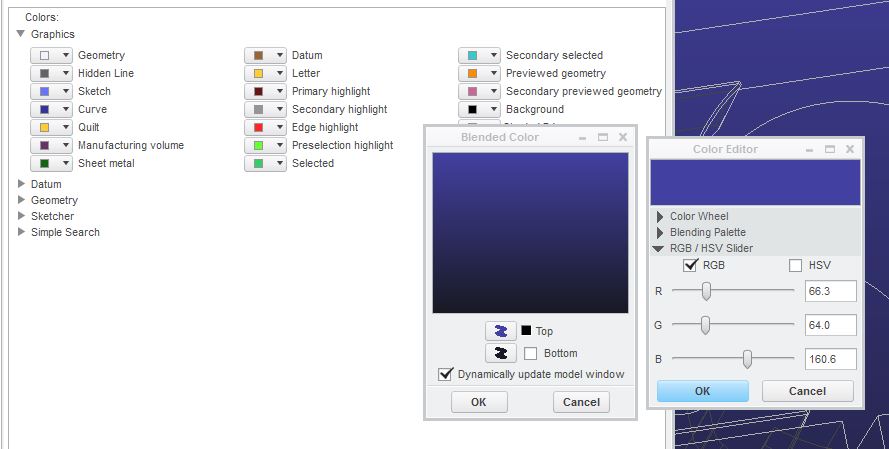
This style?

background.JPG

3 replies

1-Visitor
December 11, 2013

Hello, i use mapkeys to change the background color i will leave here both mapkeys for you to choose

Translate
Inoram14-AlexandriteAnswer
14-Alexandrite
December 11, 2013

This style?

background.JPG

Translate
1-Visitor
December 15, 2013

Thank You Matt Finally Got it.

Translate