1-Visitor
May 18, 2016
Solved

How to control outer dia of spring individually ?

  • May 18, 2016
  • 1 reply
  • 2431 views

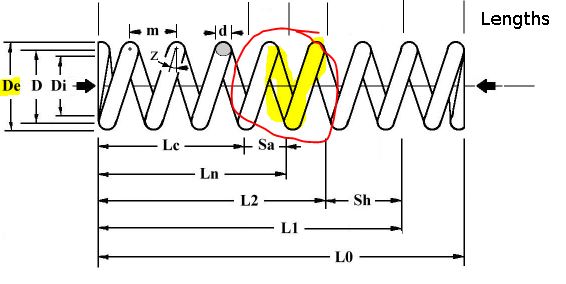
I need to control the outer dia of the spring (De) around the center spring.JPG? how to do it please help?
    Best answer by kdirth

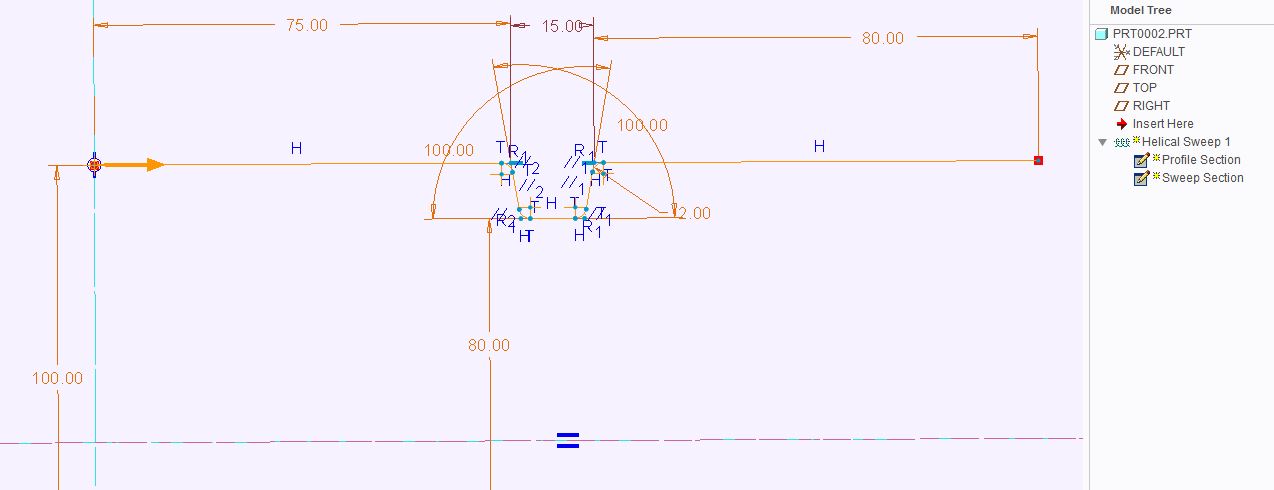
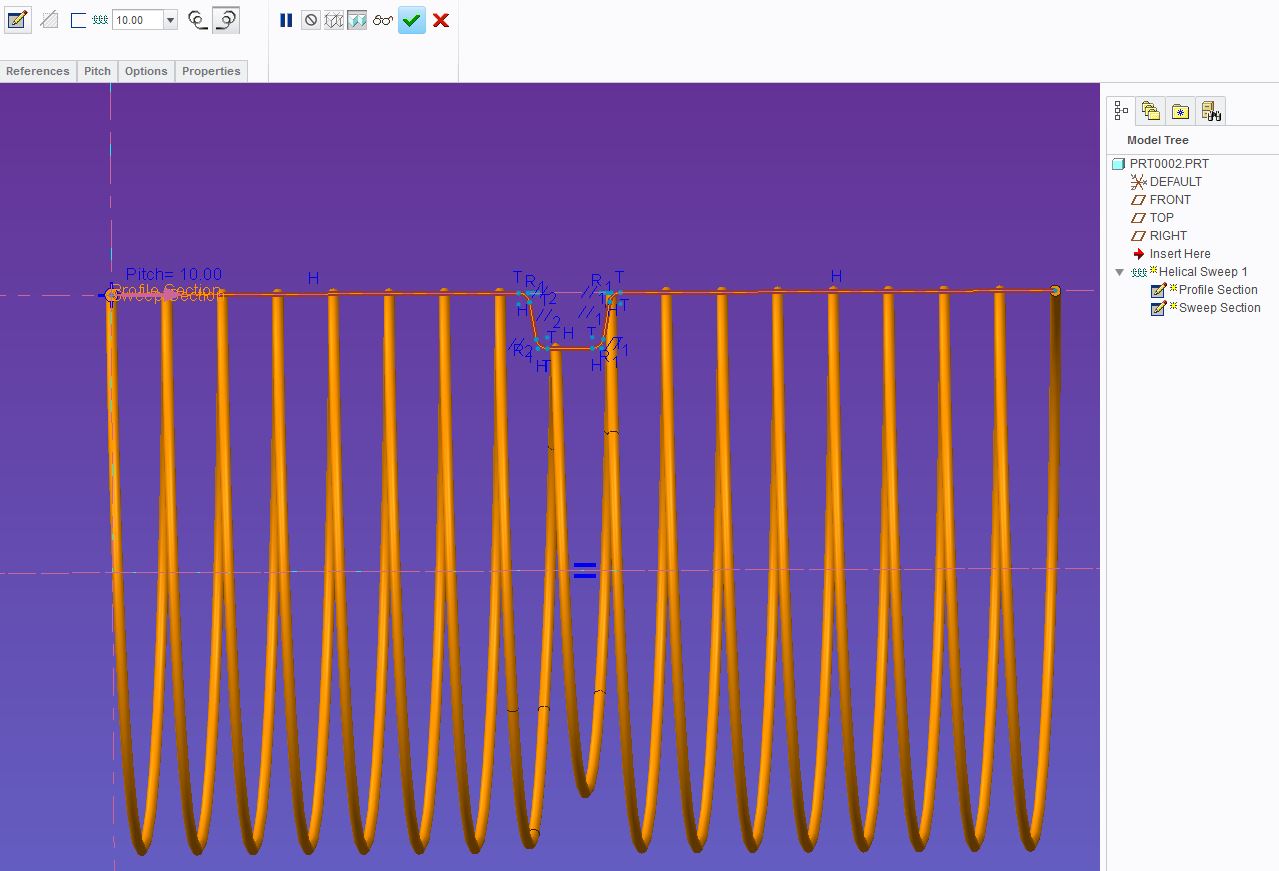
    I have not used WF4 for many years and cannot show you the dialog box of WF4.  However, I don't think the process has changed much.

    The profile section controls the diameter of the helical sweep.  You cannot have lines perpendicular to the axis of revolution and you should have arcs when the angle changes.

    1. Start a Helical Sweep and set the parameters as needed.

    2. Create Profile Section - centerline and diameter profile.

    3. Create Section Sketch.

    4. Set Pitch

    You can watch this video to see a WF4 interface for a straight spring diameter profile: Helical sweep proe tutorial - YouTube

    Just change the Profile section to meet your needs.

    spring1.JPGspring2.JPG

    1 reply

    kdirth
    21-Topaz I
    21-Topaz I
    May 18, 2016

    Not sure what you are asking.

    When creating a helical sweep, the profile section controls the diameter.

    Capture1.JPG

    Capture.JPG

    There is always more to learn.
    1-Visitor
    May 20, 2016

    spring1.JPGThanks kevin For your reply and help , what i need is to control just " X " shown in the fig type 2 . Its a insert thread. how to control it and if possible please tell me the procedure.. am using pro e WF4

    kdirth
    21-Topaz I
    kdirth21-Topaz IAnswer
    21-Topaz I
    May 20, 2016

    I have not used WF4 for many years and cannot show you the dialog box of WF4.  However, I don't think the process has changed much.

    The profile section controls the diameter of the helical sweep.  You cannot have lines perpendicular to the axis of revolution and you should have arcs when the angle changes.

    1. Start a Helical Sweep and set the parameters as needed.

    2. Create Profile Section - centerline and diameter profile.

    3. Create Section Sketch.

    4. Set Pitch

    You can watch this video to see a WF4 interface for a straight spring diameter profile: Helical sweep proe tutorial - YouTube

    Just change the Profile section to meet your needs.

    spring1.JPGspring2.JPG

    There is always more to learn.